
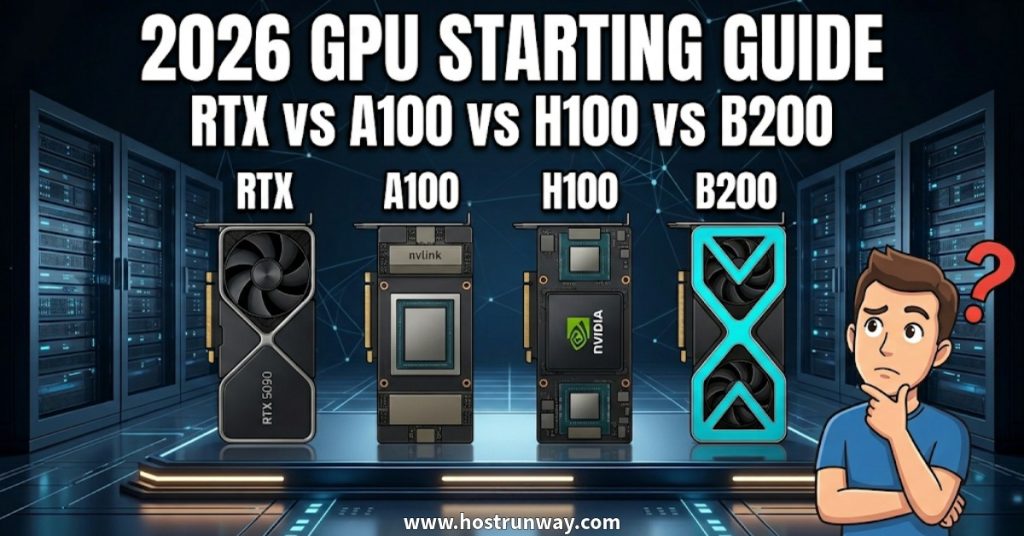

Finding the Right GPU for AI 2026
Picking the right GPU for AI 2026 trips up a lot of people. The options pile up fast: RTX, A100, H100, B200. Each one sounds impressive. Each one has its followers. Choosing the wrong one wastes real money and slows your project before it starts.
This guide answers one question directly: Which GPU Should You Start With in 2026? It covers four main options with real performance data, honest pricing, and clear advice for every skill level. Whether you are learning your first model or scaling up production work, you will leave this guide knowing exactly what to pick and why.
Also Read: Cloud GPU vs Owning GPUs 2026: Which Has Lower Cost?
Quick Overview of the Four GPUs
Here is a simple snapshot of each GPU before we go deeper:
| GPU | VRAM | Architecture | Best For | Cloud Cost / Hour |
| RTX 5090 | 32GB GDDR7 | Blackwell (Consumer) | Learning, dev, small inference | $0.50–$2 |
| A100 80GB | 80GB HBM2e | Ampere | Fine-tuning, medium models | $1.49–$3.43 |
| H100 80GB | 80GB HBM3 | Hopper | Production LLMs, large training | $2–$3.50 |
| B200 | 192GB HBM3e | Blackwell (Data Center) | Frontier AI, massive models | $5–$8 |
May 2026 pricing from RunPod, JarvisLabs, Spheron and GetDeploying.com.
RTX Series (Consumer GPUs Like RTX 4090 / 5090)
These are at the consumer end of NVIDIA’s products. They are inexpensive, readily available and simple to install. The RTX 5090 is set to go on sale in January 2025 at $1,999 MSRP and has 32GB of GDDR7 memory with 1.79 TB/s of memory bandwidth.
A100
It is designed with in mind serious machine learning by NVIDIA. It has 80GB HBM2e and 2.0 TB/s bandwidth. With prices beginning at $1.49 an hour in 2026, Cloud Rental will be among the most affordable data center GPUs available.
H100
This is NVIDIA’s Hopper-generation data center GPU. It carries 80GB HBM3 and 3.35 TB/s bandwidth — nearly twice the A100. According to MLCommons MLPerf Training v4.1 benchmarks, H100 delivers roughly 3x the training throughput of A100 on transformer models. Cloud rates average $3.11 per hour in early 2026.
B200 (Blackwell Data Center)
NVIDIA’s newest enterprise chip under the Blackwell architecture. With 192GB HBM3e and 8 TB/s bandwidth, it delivers roughly 4x the training throughput of H100. Cloud rental starts from $4.99 per hour on RunPod and select providers.
Also Read: Cloud GPU Availability in 2026: Which GPUs Are Easy to Get Right Now?
RTX Series – Best for Beginners and Small Projects
For anyone new to AI, the RTX series is the friendliest entry point in 2026. The RTX 5090 leads the consumer line with 32GB GDDR7 and strong single-GPU performance at a fraction of data center costs.
Why RTX Works for Beginners
- Lower cloud rental cost versus A100 and H100
- Applies to regular workstation and home computer
- Compliant with PyTorch, TensorFlow and all major AI frameworks
- Handles inference on models under 7B parameters without issue
- Great for fine-tuning smaller models like Mistral 7B, Phi-3, and Gemma
Who Should Start Here
- Beginner students or individual students conducting their own research into the field of AI for the first time
- App developers testing AI features before committing to larger infrastructure
- Small startups running lightweight inference pipelines
- Anyone wanting to experiment without financial risk
Limitations to Know
Larger models fill up quickly the 32Gb of the RTX 5090’s VRAM. The 70B-parameter model in FP16 requires about 140GB, which is over four RTX 5090s. Without NVLink, scaling across multiple RTX cards is far harder than with data center hardware.
Even with those limits, RTX is the best starting GPU 2026 for anyone where budget is the main constraint.
A100 – The Balanced Middle Option
If consumer GPUs become real bottlenecks, then it’s time for the A100. It has 80GB HBM2e and 2.0 TB/s bandwidth, which are able to manage workloads that an RTX 5090 cannot.
What A100 Does Well
- Full-parameter fine-tuning of 7B to 13B models in FP16
- LoRA fine-tuning of models up to 70B with gradient checkpointing
- Concurrent AI workloads through MIG (Multi-Instance GPU) partitioning
- Reliable batch inference for production-grade APIs
- NVLink connectivity (600 GB/s) for multi-GPU training
When to Move From RTX to A100
Make the switch when:
- Your model no longer fits within 32GB VRAM
- You need faster training cycles for regular iteration
- Real users are being served in a production environment
- Your team runs multiple parallel experiments simultaneously
For cloud rentals, the A100 is $1.49 to $3.43 per hour in 2026, with most providers charging a bit less than half the price of H100. The A100 makes a fine choice for teams tuning their mid-size cars.
A100 falls somewhere in the middle when it comes to the RTX vs A100 vs H100 choice. Early versions of well-known open-source models including LLaMA and Falcon were built on A100 clusters. It bridges the gap between hobby and professional AI work.
Also Read: Blackwell GPU on Cloud in 2026: Should You Start Using It Now or Wait?
H100 – The Current Sweet Spot for Most People
Ask any serious AI team in 2026 which GPU they rely on and H100 comes up most. Float16.cloud testing shows H100 outperforming the RTX 5090 across 10 out of 10 AI benchmarks — primarily due to memory bandwidth and its purpose-built Transformer Engine.
Why H100 Leads in 2026
MLCommons MLPerf Training v4.1 confirms H100’s performance lead on transformer models. Key advantages:
- 80GB HBM3 memory with 3.35 TB/s bandwidth
- NVLink 4.0 at 900 GB/s for fast multi-GPU communication
- FP8 Transformer Engine built specifically for LLM workloads
- Increased supply has pushed cloud on-demand rates to around $2.69–$3.50 per hour in 2026
Best Use Cases for H100
- Training models with 30B to 70B parameters
- Running production LLM APIs with consistent low latency
- Fine-tuning frontier models like Mistral, LLaMA 3, Qwen, and Falcon
- Scaling from research stage to live product deployment
H100 vs B200 2026: Should You Skip H100?
Many teams ask this. For most budgets the answer to the H100 vs B200 2026 question is pretty straightforward: the H100 can be used for almost all production needs and is well under the cost of B200. B200 is $4.99 an hour on demand; H100 is approximately $2.69 an hour on demand. Unless you are training models above 100B parameters from scratch, the performance gap does not justify the price gap for most teams.
Also Read: Cloud GPU for Beginners: Complete Step-by-Step Guide 2026
B200 (Blackwell) – Powerful but Not Always the Best Starter
The B200 is a technical leap. With 192GB HBM3e, 8 TB/s bandwidth, and FP4 support, it delivers roughly 4x the training throughput of H100. Frontier AI labs use it for the next generation of model development.
For most teams starting in 2026, it is not the right first GPU.
When B200 Makes Sense
- Training models exceeding 100B parameters from scratch
- Running dedicated infrastructure teams with experienced ML engineers
- Workloads needing the fastest training speeds without cost constraints
- Serving 70B-class models without quantization on a single card
When to Skip It
- You are still working through AI development basics
- Your models fit comfortably within H100’s 80GB memory
- Cost per GPU hour is a real consideration
- You do not yet need distributed multi-node training
When evaluating RTX 5090 vs H100 2026 as your first GPU choice, the RTX 5090 vs H100 2026 comparison is far more relevant to 90% of readers here than any B200 discussion. Start with what your current workload needs. Save the B200 upgrade for when your project grows to genuinely demand it.
Also Read: Serverless GPU vs Dedicated GPU Instances: Which One Actually Saves You Money in 2026?
Simple Decision Framework – How to Choose Your First GPU
Use this four-step framework to match your situation to the right GPU.
Step 1: Budget
| Monthly Budget | Recommended GPU |
| Under $300 | RTX 5090 (cloud) |
| $300 to $1,500 | A100 80GB |
| $1,500 to $4,000 | H100 |
| $4,000 and above | H100 or B200 |
Step 2: Your Goal
- Learning AI basics: RTX
- Fine-tuning models up to 30B parameters: A100
- Production LLM APIs and 30B–70B training: H100
- Frontier model pre-training: B200
Step 3: Model Size
- Under 7B parameters: RTX handles it
- 7B to 30B parameters: A100 fits well
- 30B to 70B parameters: H100 recommended
- 70B and above without quantization: B200
Step 4: Single or Multi-GPU?
- Single GPU project: RTX or A100
- Multi-GPU scaling with NVLink: H100 or B200
Four questions. One clear answer. This framework replaces weeks of reading benchmark reports.
For teams evaluating the starting GPU for cloud AI 2026, H100 offers the strongest balance of cost, availability, and performance. For most production projects, the best starting GPU 2026 is the H100 — and the data supports this.
Also Read: Cloud vs. Dedicated Servers: The Decision Framework Every CTO Should Know
How Hostrunway Makes Choosing and Using GPUs Easy
Knowing which GPU to pick is step one. Getting fast, flexible access without long contracts is step two. This is where Hostrunway steps in.
Hostrunway provides dedicated GPU servers across 160+ locations in 60+ countries. Whether you need an RTX setup to start learning or an H100 cluster for production training, servers go live within hours and scale as your needs change.
Why Hostrunway Works for AI Teams
No lock-in period. End the project when signaled to stop. No long term contract means no hardware locked out and no need to continue paying for hardware you aren’t using. It is important for startups, teams with fluctuating workloads.
24/7 real human support. You reach a real engineer, not a ticket queue. Response times are fast. New to GPU infrastructure and unsure what to order? The support team walks you through it and helps you get running quickly.
Access to all four GPU types. Test RTX while learning. Move to A100 for fine-tuning. Scale to H100 for production. Switch through one vendor without managing multiple provider accounts across different billing systems.
Latency-optimized routing. Hostrunway’s world-wide infrastructure brings your server nearer your users. Sites are throughout the USA, India, Singapore, Japan, Germany and more. It is relevant for live AI applications, fintech products, and any product that requires a quick response time for the user experience.
Custom hardware configurations. Select your CPU, RAM, storage, and OS. Pre-built plans do not limit you. This works equally well for solo developers and large AI departments.
Fast provisioning. Servers go live within hours. When product launches or traffic spikes hit, waiting days is not an option. Hostrunway delivers without the typical setup delays from large hyperscalers.
Hostrunway eliminates the uncertainty when deciding on the best GPU for beginners 2026 for their project and budget. You can choose your own access, support and no lock in, so you start small and build your own pace.
Also Read: Sovereign GPU Cloud: Navigating Global AI Compliance in 2026
Conclusion
The GPU market in 2026 gives AI builders more strong options than any previous year.
Starting out? RTX keeps costs low while your skills grow. Moving beyond basics? A100 handles the middle ground at a fair price. Ready for production? H100 is what most serious teams deploy. Scaling to frontier workloads? B200 delivers 4x the H100’s training throughput.
Start with what your project genuinely needs today. Upgrade when the work demands it. Avoid paying for hardware you are not fully using.
If you want flexible access to all four GPU types across 160+ global locations, without lock-in or long setup delays, Hostrunway is built for exactly this use case.
Start focused. Scale when ready.
Frequently Asked Questions (FAQs)
Which GPU is best for complete beginners in 2026?
The RTX 5090 is the most accessible starting point. It offers 32GB GDDR7, works with all major AI frameworks, and costs far less per hour than data center options. It suits learning and small-scale development well.
Is the B200 worth the extra cost right now?
For most teams, no. The B200 targets frontier-scale AI with 192GB of memory and 4x H100 training throughput. If your models fit on an H100, B200 adds significant cost without proportional benefit. Revisit this decision when workloads genuinely outgrow H100.
Should I start with a cloud GPU or buy my own hardware?
Start with cloud. You pay only for what you use and switch GPU types as the project evolves. Buying hardware upfront ties you to one specification and brings depreciation risk. Cloud keeps options open, especially early on.
How do I switch between different GPU types on Hostrunway?
Switching is straightforward. Not one GPU type is forced upon you for a long-term contract. Access to RTX starts today, with access to H100 to follow once ready and access across 160+ global locations with no penalty, no waiting periods.
How much does each GPU cost per hour in 2026?
Approximate on-demand pricing as of May 2026: RTX 5090 at $0.50–$2 per hour, A100 80GB at $1.49–$3.43 per hour, H100 at $2–$3.50 per hour, and B200 starting from $4.99 per hour. The price is different from provider, area and configuration.
Does Hostrunway offer all four GPU types?
Yes. Hostrunway offers RTX, A100, H100 and B200 versions in 160+ worldwide locations. No lock-in, no set-up fees, no hidden charges and no impersonal customer support take it easy and ramp up your usage as you go.
What is the difference between H100 PCIe and H100 SXM?
H100 SXM provides higher bandwidth than its counterpart and NVLink (900 GB/s) is the technology used for multi-GPU communication. H100 PCIe is standard server-size, more affordable. SXM works really well for training with multiple GPUs for production purposes. In the case of single-GPU inference, PCIe meets the majority of requirements without an extra cost.
Which GPU works best for fine-tuning large language models?
For models less than 30B parameters, it is supported to use the A100 80GB version with FP16, and for 70B parameters or more fashion, it is miles encouraged to use the A100 80GB with LoRA and gradient checkpointing.Large models are processed faster efficiently the one with H10. Both are Hug Face Transformers, Axolotl and LLaMA-Factory supporters.
Is the RTX 5090 good enough for production AI work?
Yes, for smaller models for single-user inference and API serving. A100 or H100 is more reliable in the long-term for high-concurrency production systems or models > 7B parameters at full precision.
What is the best GPU setup for a small AI startup in 2026?
Use one or two H100s, no-lock-in cloud provider. This includes actual product development, but not exceeding the budget. Make more H100’s or B200’s as necessary to meet user demand.



This really helped me understand the difference between RTX, A100, H100, and B200 in plain words. I just started learning AI and was stuck picking my first GPU. The budget table made it so much easier to decide. I’m starting with an RTX setup first since I’m still learning, but I also checked out some graphic cards to see what fits my budget before I scale up. Thanks for breaking it down so clearly!
Glad it helped! Starting with an RTX setup while learning is a smart move. Once you’re ready to work with bigger models, feel free to reach out — happy to help with recommendations.