
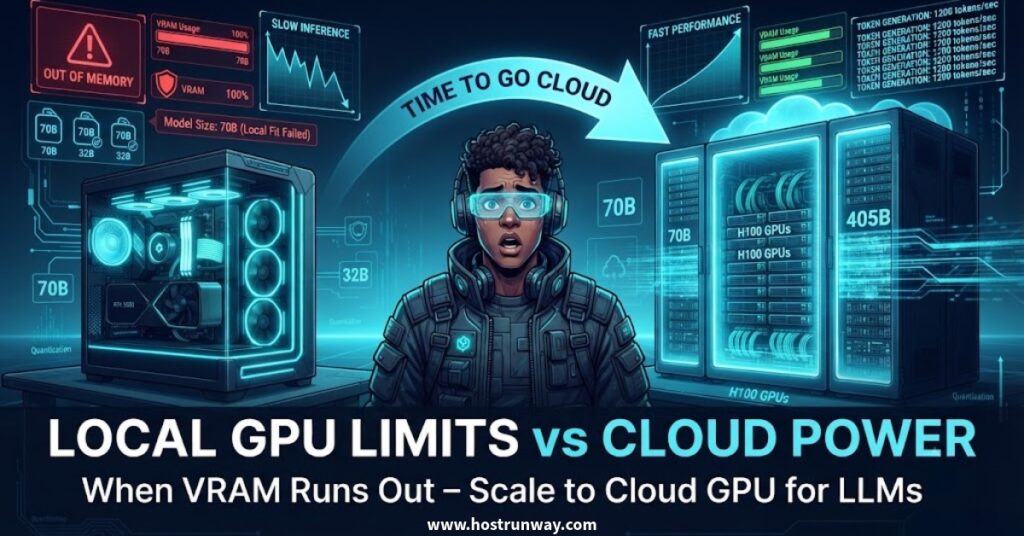

You hit run. Something went wrong.
Either the process crashed with an out-of-memory error before the model finished loading, or it loaded and became glacially slow. Two or three words per second. GPU fans running hard. Technically operational, but not useful by any measure.
That second scenario is the one that confuses people most. The model is running, but part of it has overflowed into regular system RAM. The CPU steps in to cover work the GPU was supposed to handle. You get tokens per second in the low single digits. That’s not usable output.
Strip away the noise and the real question is simple. Does the model you want fit inside your GPU’s memory? Not “is it powerful” or “does it support CUDA.” Memory. One number. That’s what determines whether this works.
This article walks through where that limit sits across real hardware and real models, four clear signals that you’ve hit it, what the comparison between buying and renting looks like, and how to pick the right tier if you decide to go cloud GPU for LLM work.
The Only Number That Matters: VRAM
VRAM is a gate, not a dial. It doesn’t make things faster or slower. It decides whether the model runs at all, and when the math doesn’t work, the consequences are immediate.
A model requiring more VRAM than your card holds doesn’t refuse to load cleanly. It loads partway, overflows into system RAM, and runs at a fraction of normal speed. Expect tokens per second to fall from a workable 30 or 40 down to two or three.
Quantization is the most practical tool for fitting larger models onto smaller cards. Think of it as compression for model weights. You convert each weight from a high-precision format down to 4 bits per value. It consumes much less memory, and sacrifices some accuracy as well. Most people end up using Q4_K_M as the trade off is reasonable for everyday use and the sizes of files remain manageable.
The piece most teams don’t budget for is the KV cache. The weights aren’t the only thing occupying VRAM. Every turn of the conversation adds to a running cache of previous tokens. A model that fits fine at session start can run out of room once the context window grows long. Mid-conversation crashes are the result. Common, avoidable, and almost always a surprise the first time.
The wildcard is MoE (Mixture of Experts) architecture. Models like Llama 4 and newer DeepSeek releases advertise headline parameter counts in the hundreds of billions, but they don’t activate all of those parameters at once. Each token only engages a portion of the total. The relevant figure for memory planning is active parameters, not the total count. Apply the dense-model formula to an MoE model and your VRAM estimate will be wrong by a significant margin.
Numbers follow in the next section.
Also Read: Cloud GPU in USA 2026: Latency, Data Residency & Best Options
Where Your Local GPU Actually Stops
Keep this table nearby when deciding whether to attempt local inference or go straight to cloud.
All rows assume Q4_K_M compression. Figures come from official model cards and GGUF file sizes on Hugging Face. These GPU requirements for running LLMs are verified as of July 2026.
| VRAM | Models That Run Here |
| 8GB | Mistral 7B, Llama 3.1 8B, Qwen 2.5 7B, DeepSeek R1 Distill 7B |
| 12-16GB | Qwen 2.5 14B, DeepSeek R1 Distill 14B, Mistral Small 3.1 22B (tight) |
| 24GB | Qwen 2.5 32B (Q4), DeepSeek R1 Distill 32B (Q4), Llama 4 Scout (MoE, Q4) |
| 48GB | Llama 3.3 70B (Q4, approx. 43GB), fine-tuning runs on 7-14B models |
| 80GB | Llama 3.3 70B at Q8, Llama 4 Maverick (MoE), 70B-class fine-tuning |
| 96GB+ | DeepSeek V3 and R1 full scale (671B), large MoE deployments (multi-GPU) |
Sources: huggingface.co/bartowski/Llama-3.3-70B-Instruct-GGUF | huggingface.co/deepseek-ai/DeepSeek-R1 | huggingface.co/meta-llama/Llama-4-Scout-17B-16E-Instruct | huggingface.co/meta-llama/Llama-4-Maverick-17B-128E-Instruct | huggingface.co/deepseek-ai/DeepSeek-V3
The gap between 32B and 70B is where consumer hardware ends. A 70B model at Q4 needs roughly 43GB of LLM VRAM. The RTX 5090, the strongest consumer card available right now, holds 32GB. That’s not close. Going from a 32B model to a 70B one isn’t an upgrade. It’s a fundamentally different hardware conversation.
Two RTX 4090s combined reach 48GB and technically cover GPU for LLM work at 70B. But two cards means 600W or more of power draw, PCIe bandwidth sharing, heat management across both, and a case large enough to hold them. Functional in the right lab setup. Not a casual weekend fix.
Also Read: Cloud GPU for AI Inference vs Training: Different Needs Explained
The Four Signs You’ve Outgrown Local Hardware
Not every situation announces itself clearly. Here’s how to read the signals.
Sign 1: The model doesn’t fit.
When local LLM VRAM not enough is the problem, software settings won’t rescue you. Dropping to a more aggressive quantization level helps to a point, then output quality falls apart. There’s no third option: a card with more memory, or you move to the cloud.
Sign 2: It fits, but it crawls.
The model is loaded. The speed is unusable. This is the overflow scenario from Section 2. Part of the model sits in VRAM, part in system RAM, and the CPU handles workloads it wasn’t designed for at this scale. tokens per second in single digits. For occasional personal use, borderline tolerable. For anything with a real user on the other end, not workable.
Sign 3: More than one person is using it.
One user and ten users are not the same problem. Concurrency changes everything: queue depth, latency, memory headroom requirements. A machine handling your personal queries well will stall badly the moment it becomes a shared endpoint. Teams discover this after deployment, usually from user complaints.
Sign 4: You want to fine-tune, not just run.
Inference uses VRAM for model weights. Fine-tuning uses VRAM for weights plus gradients plus optimizer state. All three simultaneously. Memory requirements are roughly two to five times higher than inference, depending on the training method. Most setups that handle inference without complaint fail immediately on a training run. The hardware didn’t change; the job did. This moment, more than any other, is when to move from local GPU to cloud.
Also Read: Cloud GPU vs Owning GPUs 2026: Which Has Lower Cost?
Cloud GPU vs Buying Hardware: The Honest Math
Buying hardware is the right answer sometimes. This section doesn’t pretend otherwise.
The relevant question isn’t “what does an hour of cloud GPU cost versus the purchase price of a card.” That math only works inside a utilization context. The number that matters is the GPU’s actual utilization percentage each day. That figure determines whether owning or renting is cheaper over any meaningful time horizon. Understanding cloud GPU vs local GPU for AI starts with answering that honestly.
Renting makes more sense when:
- Workloads arrive unevenly rather than as a steady stream.
- You haven’t settled on a final model choice and are still testing.
- The card class you need, H100-tier hardware, isn’t something you buy without a serious budget conversation.
- This is a time-bound project, not permanent infrastructure.
Buying makes more sense when:
- The GPU runs at high utilization for most of each day.
- Data governance requirements mean data must stay within your own systems.
- The same equipment is going to be useful to you for three years or more.
A key factor to note here for 2026 is that the MSRP for consumer GPUs has been breached, and consumer prices have risen above the MSRP for much of this year, due to a memory chip shortage. The RTX 5090 is priced at $1,999, but that’s the best price to find it. (Source: Tom’s Hardware GPU pricing tracker, tomshardware.com/reviews/gpu-hierarchy,4388.html.) For teams that couldn’t source hardware at list, renting was substantially more attractive than overpaying or waiting indefinitely.
The practical guidance: rent GPU while requirements are still in motion. Buy once the workload has a predictable and stable shape.
Also Read: Sovereign AI in 2026: Why Countries and Companies Are Building Their Own Cloud GPUs
Choosing the Right Cloud GPU Tier
Match the tier to the task. Renting the largest available card because it feels safe is how teams end up with invoices they didn’t expect.
Small models and prototyping (7B to 14B class)
A mid-tier datacentre card handles this comfortably. Running an H100 cloud instance to serve a 14B model means paying for roughly 65GB of VRAM you’ll never use. An A10G or similar card delivers fast output and reasonable concurrency at a fraction of that cost.
70B-class inference
Single 80GB-card territory. The best cloud GPU for running LLMs at this level is the H100 80GB or A100 80GB. Cloud GPU for Llama 70B runs cleanly at Q8 or full precision on either. To rent GPU for LLM inference at this scale, most platforms list hourly and committed-use rates. For sustained inference with consistent load, rent H100 for LLM inference on a committed plan rather than spot pricing; throughput-per-dollar is stronger.
100B+ and large MoE models
No single-card answer exists at any compression level. Multi-GPU setups with a proper distribution framework are the only viable path.
Fine-tuning
One tier up from inference, regardless of model size. Cloud GPU for fine tuning LLM workloads carry materially higher memory demand because gradients and optimizer states sit in VRAM alongside the weights.
On billing: hourly instances suit testing and bursty workloads. For steady load, a dedicated GPU hosting server eliminates the per-hour flexibility premium you’re otherwise paying on every hour of use.
Also Read: The 2026 Local LLM Boom – Why Speed and Privacy Matter Now
What Slows You Down That Isn’t the GPU
You rent a fast card. The system still feels slow. This happens often, and the GPU usually isn’t where the problem sits.
Loading time
A 70B model pulling from a slow drive takes minutes to load. Not seconds. Minutes. Every restart carries that cold start delay. In benchmarks this is invisible. Users waiting for a first response feel every second. Fast NVMe storage matters more than most teams budget for.
Training data throughput
For fine-tuning, the GPU processes data only as fast as storage supplies it. A high-performance card stalled behind slow I/O delivers results no better than a slower card with fast storage. More VRAM doesn’t fix this problem.
Egress costs
Pushing large volumes of text output to downstream services generates bandwidth charges that compound quickly on pay-as-you-go billing. Month one is usually low volume. Month three often isn’t. Worth calculating before committing to a cloud provider’s pricing structure.
Serving software
Ollama, vLLM, and llama.cpp are not interchangeable under real concurrency. Ollama is purpose-built for local development and single-user use. With multiple requests running at the same time, it serialises work rather than batching, causing latency at scale. vLLM supports parallel requests by continuously batching requests and was built for a production serving use case. One of the most frequent errors is selecting the wrong framework to fit the task. The symptom is identical to a hardware issue. The fix is usually a software change.
A Practical Decision Checklist
Six questions. Work through them in order and the path forward becomes clear.
- Does your target model fit inside your current VRAM at the quantization level you’re comfortable with?
- Do you need extended context window support, or are sessions typically short?
- Single user or multiple simultaneous users?
- Only inference or fine tuning on your own data?
- Will the GPU be used more than 50% of the time during the day?
- Do legal or contractual requirements exist as to where this data may run?
Where your answers land:
- Stay local: Model fits your card, single user, GPU mostly idle. No urgent reason to change anything.
- Rent hourly: Model doesn’t fit locally, usage arrives unevenly, or you’re still testing different models.
- Dedicated GPU server: Consistent load, multiple users, sustained fine-tuning, or data governance requirements.
A note on timing: most teams start in the middle category and graduate to the third. Renting by the hour during early development costs more per unit but prevents the mistake of buying hardware that turns out to be wrong for the actual workload. Teams that over-buy early tend to underutilise the hardware or replace it sooner than they planned.
Also Read: Blackwell GPU on Cloud in 2026: Should You Start Using It Now or Wait?
Model-Specific Quick Notes
Specs verified against official Hugging Face model cards. Checked July 2026. Anything unverifiable has been left out.
Llama (Meta)
The Llama 4 family needs different hardware depending on which variant you pick. Scout is MoE with 17B active parameters and runs on a 24GB card at Q4. Maverick is also MoE with the same active parameter count, but the overall model is far larger and needs an 80GB card. Llama 3.3 70B is a standard dense model requiring 48GB or more at Q4. The common mistake is assuming all Llama 4 models have the same memory footprint as Llama 3. They don’t.
DeepSeek
Distilled variants at 7B, 14B, and 32B run on consumer hardware without issue. Full R1 and V3 at 671B are strictly multi-GPU datacentre workloads. Can I run DeepSeek locally or do I need cloud? For the full-scale flagship models, you need cloud. For distilled versions, local works fine.
Mistral
Mistral 7B and Mistral Small 22B are strong choices for local inference. Efficient, consistently capable, and often underrated because they don’t generate the same volume of announcements as larger releases. Mixtral variants step up to the 24GB tier.
Qwen 2.5
7B and 14B run cleanly on 8-16GB cards. The 32B version sits in the 24GB tier at Q4. Frequently outperforms better-known models at equivalent parameter counts and frequently doesn’t get the credit for it.
Conclusion
This question was never a philosophical debate. It reduces to two numbers: how much VRAM the model needs and how many hours per day the GPU actually runs.
Rent while requirements are moving. Buy when they’re not.
For teams running sustained inference pipelines or cloud GPU for fine tuning LLM workloads that run for hours at a time, Hostrunway offers dedicated GPU servers built for exactly this. Fast provisioning, no lock-in periods, and a team that will work through your specific model, load profile, and data requirements directly with you.
Check your target model against the VRAM table in Section 3. Run through the checklist. If the answers land on a dedicated server, Hostrunway is a good place to start that conversation.
Frequently Asked Questions
1. How much VRAM do I need to run a 70B model?
The question of how much VRAM do I need to run a 70B model at Q4_K_M compression has an answer of approximately 43GB. It doesn’t get that high until 2026, and it’s a consumer card. The RTX 5090 caps at 32GB. A 48GB professional card like the RTX 6000 Ada or an 80GB datacentre card like the A100 or H100 with a good amount of comfort.
2. Is cloud GPU cheaper than buying an RTX 5090?
Depends entirely on utilization. Low GPU usage throughout the day means renting is cheaper. Continuous high utilization means buying amortises the cost over time. With RTX 5090 street prices running above the $1,999 MSRP through much of 2025-2026 due to supply constraints, renting became the more practical option for teams that couldn’t source hardware at launch pricing.
3. Can I run DeepSeek’s flagship model on a single GPU?
No. DeepSeek V3 and R1 at full scale (671B parameters) require multiple 80GB GPUs with tensor parallelism. Two H100 80GB cards is the realistic entry point. The distilled variants at 7B, 14B, and 32B are a different conversation entirely and run on standard consumer hardware without issue.
4. Do I need more VRAM for fine-tuning than for inference?
Yes, substantially more. Inference holds only model weights in VRAM. Fine-tuning holds weights, gradient tensors, and optimizer state simultaneously. That combination typically demands two to five times the memory of inference alone. Cloud GPU for fine tuning LLM jobs usually means stepping up at least one hardware tier from what inference alone requires.
5. What’s the cheapest cloud GPU that can run Llama 70B?
The cheapest cloud GPU for LLM inference that handles 70B models is typically an A100 40GB. At Q4, a 70B model sits around 43GB, which is tight but workable. An A100 80GB gives proper headroom. On some platforms, H100 NVL or L40S instances offer better cost-per-performance for sustained inference workloads.
6. Does quantization hurt model quality?
At Q4, mildly. For practical tasks like summarisation, drafting, and extraction, most users don’t notice the gap between Q4_K_M and full precision in everyday use. Complex reasoning chains and long multi-step tasks show the difference more clearly. Q8 sits in between: quality close to full precision, memory requirements meaningfully lower than running uncompressed.
7. Should I use Ollama or vLLM for a production endpoint?
For production, vLLM. Ollama is excellent for local use and individual development workflows. Under genuine concurrency, it serialises requests rather than batching them, creating real latency problems as load increases. vLLM was built specifically for production serving, handles concurrent requests through continuous batching, and scales properly. Single-user local setup: Ollama. Shared production endpoint: vLLM.