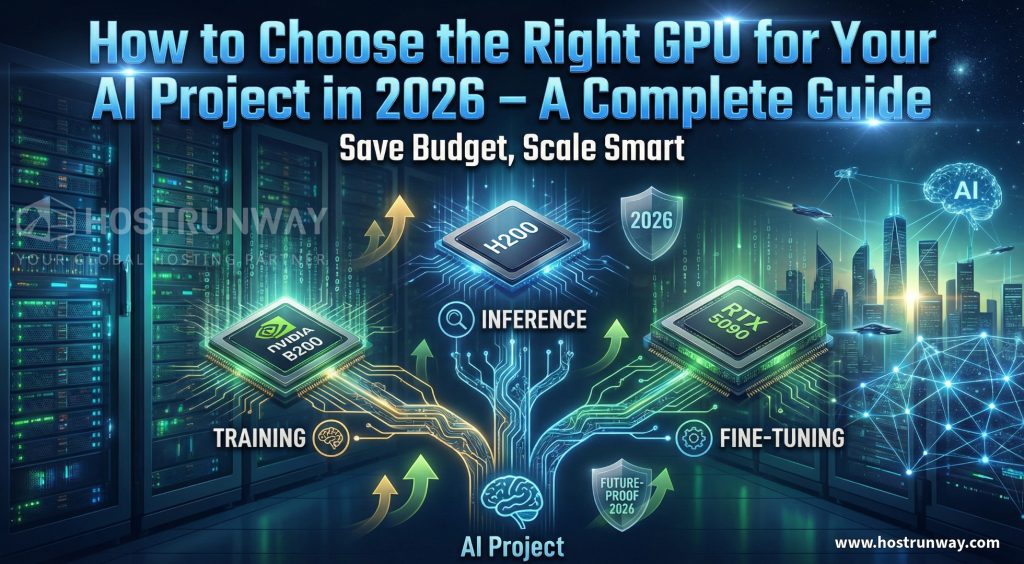

The GPU Mistake That Cost One Team $50,000
A startup in Singapore with sufficient funds purchased high-end GPUs costing $50,000 last year. They had hardly consumed 40% of that compute power six months later. Their task was inferential rather than training-intensive. They have purchased the wrong cards for the job.
This is more common than you think.
In 2026, knowing how to choose GPU for AI 2026 projects is not optional. And it is one of the greatest choices that your team will make. Do it right and you save on money, ship faster and scale painlessly. Make a mistake, and you may burn the budget by installing hardware that lies without any use or slows down your staff.
There has also been a rapid change in the market of GPU. Newer chips such as the NVIDIA B200 are in existence. Cloud rental has matured. Artificial intelligence workloads have become more diverse. The strategy of 2023 does not work anymore.
There is also the fragmentation of the AI hardware space. Now you have consumer GPUs, work station GPUs, data center GPUs and cloud based GPU rentals that all compete on your budget. All of them have another price point, availability and performance limit. The wrong choice of the tier is not only a waste of money. It is decelerating your project to the point that you want an impetus.
This guide is for you if you are looking for a clear GPU recommendation for AI 2026 or want to know how to choose the right GPU for AI training in 2026 without wading through pages of spec sheets. It covers:
- Startups or SaaS products with AI features
- ML or LLM teams managing business workloads
- Developers building AI apps as a side project or small team
- Infrastructure leads at growing companies
By the end, you will have a clear idea of what type of GPU suits your purposes, whether to rent or purchase, how such platforms as Hostrunway can simplify and even make the entire process both easier and cheaper. No guessing. No wasted budget. Just a clear path forward.
Also Read : H200 vs B200 vs MI300X Comparison: Which GPU is Best for LLM Training
Understand Your AI Workload First
What your AI project necessarily must do Before you see a single GP spec, answer it: what is it that your project needs to do?
This is a question that is more important than a benchmark. This is a simplistic breakdown of the primary types of workloads and what each of them requires of your hardware.
Training implies learning by example. The most resource-consuming one is this. It needs big VRAM, high throughput and may need more than one GPU that is used simultaneously. It requires weeks to train a large language model.
Fine-tuning involves adapting a trained model to your application. It is not as heavy as full training but requires an excellent VRAM and regular computer. Most of the teams do not take into account the hardware necessary to do this step.
Inference implies the execution of a trained model to produce results. This is what happens to your users. Inference tends to be less demanding than training but latency is important in this case. Painfully slow inference GPU annoys users.
Local AI can be described as the execution of smaller models on one computer, either due to privacy or cost considerations. The consumer GPUs such as the RTX 4090 or RTX 5090 are usable here.
Multi-modal workloads process text, images, video, or audio simultaneously. These are memory intensive and are usually fussy of the latest GPU architectures.
Before you spend a dollar, ask your team these questions:
- Are we training from scratch, or fine-tuning an existing model?
- How many users will hit our inference endpoint at peak time?
- Do we need low latency, or is batch processing acceptable?
- Will this workload grow significantly in the next 12 months?
- Do we have the team to manage hardware, or do we need a managed option?
Based on your responses, you will be directed to one of the definite types of GPUs. The following are three real-life examples to demonstrate how varied the requirements may be:
A fintech company that is developing a fraud detection model requires a globally distributed endpoint that requires low-latency inference. They do not do any novice training. They optimize a tiny model on a monthly basis and perform inference on a continuous basis. What they require is a speedy, well-placed GPU server as opposed to the largest or the most costly chip.
A start-up with an LLM model by a dedicated foundation model requires weeks of continuous training. They require huge VRAM, multiGPU configurations and large interconnect bandwidth. Raw throughput is important to them, rather than geographic dispersion.
The implementation of a solo developer creating an AI writing assistant requires running the inference of a mid-size open-source model. It is more than adequate to have a consumer-level GPU or a small rented cloud GPU.
Know your workload first, then pick your GPU.
Also Read : Best GPUs for Crypto Mining in 2026: NVIDIA RTX 4090 vs AMD RX 7900 XTX – Which One Wins for Profit?
The 8 Most Important Factors When Learning How to Choose GPU for AI 2026
1. VRAM Requirements
The most important spec that AI work requires is VRAM. It defines the size of model that can be loaded as well as the efficiency by which you can process data. The exhaustion of VRAM in the middle of training kills your job. In 2026, most of the work done in LLM will require at least 24 GB. With big models it is normal to have 80GB or more.
2. Compute Performance (TFLOPS and Tokens Per Second)
Raw compute speed defines the speed at which your training runs execute as well as the count of inference requests you could execute in a second. The H100 provides an approximate of 2,000 teraFLOPS of FP8 performance. That is pushed a step further by the newer B200. In order to get the inference, the number to observe is the number of tokens per second.
3. Power Consumption and Cooling
Expensive mode GPUs consume a lot of power. The H100 pulls around 700 watts. The B200 goes higher. When running on-premise, then you require sufficient power delivery and cooling. This creates an actual expense of ownership. This is done by cloud and dedicated GPU rentals.
4. Software Ecosystem: CUDA vs ROCm
The CUDA platform by NVIDIA rules the AI development. It is optimized by most of the frameworks such as PyTorch and TensorFlow. The ROCm of AMD is getting better but lacks compatibility. Unless there is a particular reason why you need to go AMD, CUDA compatibility will spare you some pain.
5. Scalability and Multi-GPU Support
Given a larger workload, is it possible to add GPUs? The data center cards of NVIDIA have NVLink and NVSwitch, which support high-bandwidth communications between GPUs. This is important in moving up to eight cards.
6. Total Cost of Ownership
The retail price is only a starting point. Include power expenses, cooling, rack space, networking as well as maintenance labor. An H100 card costs about 25000 to 35000 dollars. In more than 36 months of operation, the overall cost will usually increase twice, including only electricity. A 1 H100 with 700 watt current 24/7 is an extra cost of more than half a thousand dollars per month in power in many US markets. Then there are cooling, physical space, and time that your team uses in handling the hardware. Rental removes a majority of these invisible expenses and presents you with a fixed monthly expense.
7. Future-Proofing for 2027 and Beyond
Each 18 months the complexity of AI models doubles. The purchase of the previous generation hardware today can have you racing to upgrade in 18 months. B200 and H200 are designed keeping in mind the future workloads. They have a much higher memory bandwidth and interconnect speeds than the past generations. When making a purchase, get toward the newer structures. In the case of a rental, this factor becomes completely irrelevant because you are free to move to newer hardware as it comes out.
8. Latency and Deployment Needs
Where are your users? In this case, there is a loss in inference latency, assuming that they are in southeast Asia and your GPU server is in Virginia. Location of deployment is of concern. This is one of the reasons as to why the low-latency routing on global GPU hosting, such as that of Hostrunway which is available within 160+ locations, is a real difference when it comes to the production of AI applications.
Also Read : RTX 5090 vs RX 9070 XT vs Arc B580: Best Gaming GPU Comparison 2026
Best GPU for AI Project 2026 – Detailed Comparison
This section gives you the clearest breakdown of the top GPUs available in 2026 so you can pick the best GPU for AI project 2026 without guessing.
GPU Comparison Table
| GPU | VRAM | Key Strength | Best For |
| NVIDIA B200 | 192GB HBM3e | Highest throughput available | Large-scale training, frontier models |
| NVIDIA H200 | 141GB HBM3 | Massive memory bandwidth | Training + large inference |
| NVIDIA H100 | 80GB HBM2e | Proven data center workhorse | Enterprise training, inference |
| NVIDIA L40S | 48GB GDDR6 | Inference + graphics balance | Mixed AI and rendering workloads |
| NVIDIA A6000 | 48GB GDDR6 | Workstation-grade reliability | Fine-tuning, research, local AI |
| NVIDIA RTX 5090 | 32GB GDDR7 | Consumer top-of-line | Local AI, side projects, fine-tuning |
| NVIDIA RTX 4090 | 24GB GDDR6X | Proven consumer AI workhorse | Local AI, small fine-tuning |
| NVIDIA RTX 5080 | 16GB GDDR7 | Budget consumer AI entry | Inference-only, light workloads |
In-Depth Breakdown
NVIDIA B200: It is a 2026 latest and most competent GPU. It is trained on frontier models and massive batch inference. This is the best choice in case you are an enterprise team involved in proprietary LLMs or scientific computing. The viable way to go is rental as the cost of purchasing is highly expensive.
NVIDIA H200: The H200 is the update of H100 which has a much higher memory bandwidth. It works with training models that congest the H100, and would be a fantastic option when the team requires training and huge model inference. For the best GPU for AI inference and training 2026, the H200 is a strong contender at the enterprise level.
NVIDIA H100: The workhorse of enterprise AI in 2026. Accommodates most of the market, and scale-tested. If you need a reliable GPU for AI training 2026 without going to the newest and most expensive tier, the H100 delivers excellent performance. Hostrunway provides special H100 servers at competitive monthly fees.
NVIDIA L40S: A versatile selection to consider in a group that makes inference and uses the remaining compute workload such as rendering or visualization. It has 48GB of VRAM with a lower-cost point. For the best GPU for AI inference 2026 at a mid-tier budget, the L40S is worth serious consideration.
NVIDIA A6000: A secure workstation-level graphics that is perfect in research teams, fine-tuning studies, and development set-ups. It does not deliver the raw data center card throughput yet it has good VRAM and stability.
NVIDIA RTX 5090: The consumer best GPU in 2026. It has 32GB GDDR7 memory, which allows fine-tuning the mid-size models and performing local inference without issues. Ideal when doing developer, freelancer, and side projects.
NVIDIA RTX 4090: It will be a powerhouse in 2026. It supports a majority of local AI workloads, such as small inference and fine-tuning of LLM. It has 24GB VRAM, which is at the limit of comfort of finer-tuning models such as Llama-3 70B.
NVIDIA RTX 5080: A solution at the entry tier in terms of inference only workload or those just beginning to develop. Not training-wise suitable. Cost of local fine execution of smaller quantized models.
Recommendation Matrix
| Use Case | Top Pick | Alternative |
| Large-scale training | B200 / H200 | H100 (multi-GPU) |
| Enterprise inference | H100 / L40S | H200 |
| Fine-tuning (mid-size models) | RTX 5090 / A6000 | H100 (rental) |
| Side project / local AI | RTX 5090 / RTX 4090 | RTX 5080 |
| Budget-conscious startup | RTX 4090 (rental) | L40S (rental) |
Also Read : AMD vs NVIDIA 2026: Which GPU Provider Fits Your Needs? – Honest Comparison
GPU Rental vs Buying for AI 2026 – The Smart Decision Framework
GPU rental vs buying for AI 2026 is one of the most debated topics in the ML community right now. The following is the way to reason it out.
Real Monthly Cost Comparison
| Scenario | Ownership | Rental (Cloud/Dedicated) |
| H100 80GB (1x GPU) | $25,000–$35,000 upfront + $800–$1,200/mo (power, cooling, maintenance) | $2,000–$4,000/mo (all-inclusive) |
| H200 (1x GPU) | $50,000+ upfront + ongoing costs | $4,000–$7,000/mo |
| RTX 4090 | $1,500–$2,000 upfront + $50–$100/mo | $300–$600/mo |
Break-Even Time Analysis
In the case of one H100, financial viability of purchasing occurs after about 24 to 36 months of continuous full usage. The majority of the teams do not operate the GPUs at full capacity all the time. Hardware that is left idle does not save money in power and space.
For a startup doing 6-month sprints, rental wins every time.
When to Buy
- Your department takes GPUs to nearly full load, every day, twelve months of the year.
- There are stringent data privacy policies that do not permit cloud usage.
- The IT team is in charge of the hardware, networking and maintenance.
- Your work loads are constant and you intend to use the same hardware over 3+ years.
When to Rent
- Your workload on AI peaks and drops monthly.
- You would like to experiment with various types of GPUs, and then make a purchase.
- You are a start up that requires capital not hardware.
- GPUs are required within latency reasons in certain parts of the world.
- You will not want to take weeks to get an idea of the running server.
The Hybrid Model
A hybrid strategy is applied by many intelligent teams. They have a modest house of GPUs that they use in daily development and lease more capacity when they are either in training or launching products. This allows keeping costs predictable and being able to scale quickly when required.
Case study example: A Singapore-based fintech company operates a small on-premise RTX 5090 cluster to use in testing models on a daily basis. They hire H100 or H200 nodes with Hostrunway to rent two or three weeks when retraining of the quarterly model is required, and then release them. Monthly prices of their GPUs reduce by more than 60 percent relative to the ownership of the entire training cluster.
Also Read : Best GPUs for Video Editing 2026: NVIDIA vs AMD – Full Comparison & Picks
How Hostrunway Makes GPU Selection Simple and Cost-Effective
After you have decided on the kind of GPU that suits your workload, the next question is therefore, where do you acquire it and how fast?
Hostrunway puts you as close to users as possible with 160+ worldwide locations in 60+ countries. Reduced latency results in improved inference on real-time AI. Your team is in the USA, India, Singapore, Germany, or Japan. Hostrunway has a data center in your neighbourhood.
Their line of GPUs spans the entire spectrum, NVIDIA H100 and H200 to B200 servers, and their hardware can be configured to any particular specifications. You decide on your processor, memory, disk and operating system. Nothing is locked in. No cookie-cutter plans.
Key advantages for AI teams include:
- No lock-in period. Month to month billing implies that you are only charged with what you require and cease on the occasions that you do not.
- Fast provisioning. GPU servers do not take weeks to be ready. You do not wait when a training run is to be made.
- 24/7 real human support. Not a chatbot. No three-day ticketing queue. There are real people who know infrastructure.
- Enterprise-grade security. In-built DDoS security and firewall services to teams dealing with sensitive information or controlled industries.
- Managed and unmanaged options. In case your team desires to have total control, do it. In case you would like to have hands free server management, Hostrunway will do it.
- Latency-optimized routing. The Hostrunway global net is designed to serve real-time applications, such as AI inference, gaming, streaming, as well as fintech applications with each millisecond being crucial.
Hostrunway is the infrastructure partner of ML teams, LLM builders, SaaS companies, and fintech firms. You focus on the model. They handle the hardware. And since there are no long-term contracts and lock-ins you remain flexible as your project develops.
Final Takeaways and Recommendations
The process of choosing a GPU is not associated with the search for the most expensive one. It is an exercise on how well you can match hardware to your real workload and your budget.
Enterprise-scale training Large-scale training of large models can be looked into through the H100, H200, or B200 with a rental provider. The L40S or H100 will be a good choice in case you are conducting inference on a production application. In the case of a developer or small group, the RTX 5090 or RTX 4090 will support local AI and fine-tuning without a big investment.
Renting is better than buying in most teams in the year 2026. The scalability, deployment flexibility, and inclusive pricing of renting make it the more intelligent financial decision of any team that does not utilize GPUs at full capacity all year round.
Start with your workload. Match it to a GPU tier. Make up your mind on whether to rent or buy depending on the pattern of use. Next get a provider that offers you international access, speedy installation and support.
Hostrunway checks all of those boxes. Visit hostrunway.com to explore GPU plans across 160+ global locations and get your AI project moving today.
FAQs
Q1: What is the best GPU for AI inference 2026 on a budget?
NVIDIA L40S has VRAM of 48GB with a mid range price and can support inference load well. At smaller budgets, the RTX 4090 remains good at smaller inferences.
Q2: How do I know if I need training or inference GPU capacity?
You require training capacity in case you are creating or upgrading a model. You require inference capacity when you are serving a model to users, or when you are doing predictions. At different times, most production teams require one or the other.
Q3: Is GPU rental vs buying for AI 2026 worth it for a startup?
Yes, for most startups. Rental eliminates the initial investment, provides the ability to scale at your own will, and allows you to have access to the best hardware without having to commit to a long-term contract. You only pay for what you use.
Q4: How do I choose the right GPU for AI training in 2026 if my budget is limited?
Begin with your VRAM requirement. Beyond 30B fine-tuning of models, the RTX 5090 or A6000 is used. In case of bigger training tasks, you can rent H100 nodes that you do not buy on a short-term basis.
Q5: What is the best GPU for inference and training 2026 for enterprise teams?
The H100 and H200 are the usual options that are available to enterprise teams that require training throughput and inference performance. The H200 has much more.