
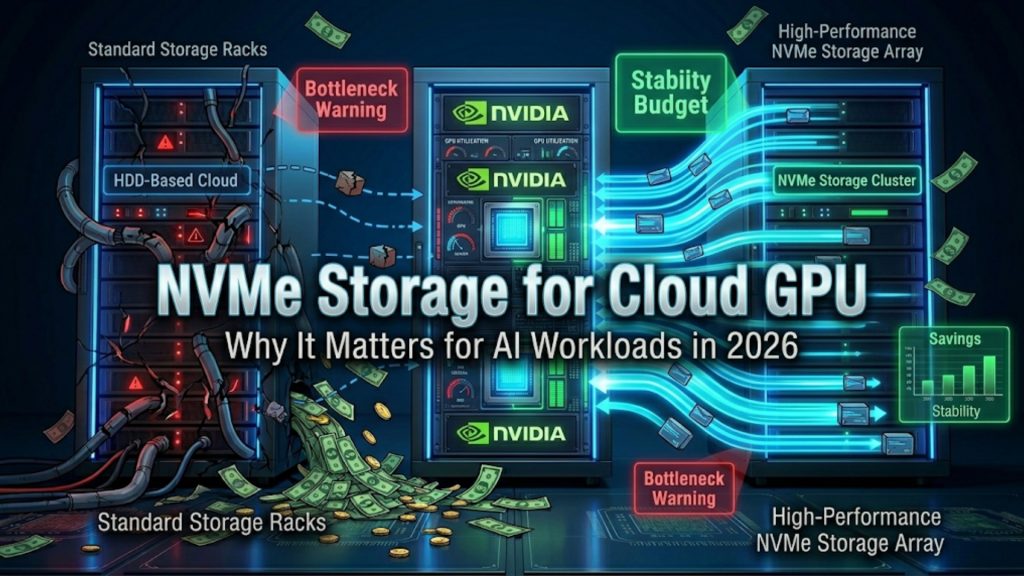

Why Storage Matters for Cloud GPU in 2026
Ask someone shopping for a Cloud GPU what they care about, and you’ll hear the same answers every time. Core count. VRAM. Clock speed. Storage barely gets a mention. It will appear at the end of the checklist, if it’s on it.
Here’s the problem with that.
AI models have been developed to be far greater than what they were 2 years ago, and even beyond that by 2026. Datasets are heavier. Training runs pull data nonstop, hour after hour. And when storage can’t keep pace, your GPU just waits. Expensive hardware, sitting idle, doing nothing. That’s the quiet cost nobody talks about until they see their cloud bill.
This is exactly why NVMe Storage for Cloud GPU setups have started showing up more in conversations among AI teams. Not because it’s in vogue. People would continually bump into the same wall and say that it was the storage.
But what is NVMe, anyway? Why does it continue to show up in the conversation of Cloud GPU storage 2026? More importantly, is it necessary for your project or is it too much?
It is this guide that walks you through. Not a lot of flair and jargon dump. Simply the ability of NVMe, where it can be useful, and where it’s not that big of a deal.
Also Read: Docker or Bare Metal on Cloud GPU? How to Choose the Right One in 2026
What is NVMe Storage? (Simple Explanation)
NVMe. Non-Volatile Memory Express. The name sounds heavier than it needs to be.
In short, NVMe is a storage drive that connects directly to your system’s processor through a much faster pathway than older drives use. That direct connection means fewer steps between a data request and the response.
Older SSDs and hard drives were built for a different era, before AI workloads existed. They handle one request at a time reasonably well, but they were never designed for the kind of nonstop, high-volume access that AI training and inference demand.
NVMe removes most of that friction. Data moves with far less waiting in between. For NVMe for AI workloads, where data gets pulled constantly and at scale, that difference shows up fast, especially once your dataset grows past a few hundred gigabytes or your training jobs run for hours at a time.
Also Read: Cloud GPU for AI Inference vs Training: Different Needs Explained
NVMe vs Traditional SSD: Key Differences
When people line up NVMe vs SSD for AI side by side, the gap becomes obvious fast. Here’s a simple table to show it.
| Feature | NVMe Storage | Traditional SSD |
| Speed | Up to 7,000 MB/s or higher | Around 550 MB/s |
| Latency | Very low | Noticeably higher |
| Performance for AI | Strong with large, repeated reads | Tends to struggle under heavy AI loads |
| Price | Higher | Lower |
| Ideal AI Workload | Big models, large datasets, production AI | Smaller projects, light testing |
The real difference comes down to connection design. NVMe pulls data through several lanes at once. A traditional SSD relies on an older, single-path connection that puts a ceiling on speed no matter how good the drive itself is.
For AI specifically, two things stand out. Raw speed, first. NVMe moves data multiple times faster in many cases. Second, and just as important, response time. When your training job is firing off thousands of small data requests every second, NVMe answers those requests with far less delay between each one.
If your work involves loading one file and processing it slowly, the gap might not feel huge. But that’s rarely how AI training works. It’s request after request after request, and that pattern is where NVMe pulls ahead by a wide margin.
Also Read: Single GPU or Multi-GPU Cloud: How to Know When It’s Time to Scale in 2026
Why Storage Speed Matters for AI Workloads
Not training an AI model is not just a download. It’s a loop. Read a batch. Process it. Ask for the next one. Repeat that thousands of times, sometimes for days straight.
When storage can’t keep up with that loop, your GPU stalls. It waits. This is what people mean by a storage bottleneck, and it’s one of the most overlooked reasons a “powerful” GPU ends up performing nowhere close to its rated speed.
There’s research backing this up too. One benchmarking study found GPUs running at under half their potential utilization when storage couldn’t deliver data fast enough. Same hardware, same model, but with a properly tuned storage setup, utilization jumped past 90 percent. That’s not a small difference. That’s nearly double.
Picture it this way. Your GPU can chew through a batch of images in half a second. Your storage takes a full second to hand that batch over. So for every second that passes, your GPU spends half of it just waiting around. You’re paying for full power and getting roughly half of it.
This is the core reason fast storage for machine learning isn’t some optional extra you tack on later. It shapes how much actual value you pull from the GPU you’re renting. Faster drives mean more working time and less idle time, plain and simple.
For tiny workloads, you might not notice this gap at all. But scale things up, run bigger datasets, longer jobs, and that small gap turns into real hours and real money.
Also Read: Cloud GPU vs Owning GPUs 2026: Which Has Lower Cost?
How NVMe Improves AI Training Performance
Training works by feeding a model data over and over until patterns start to form. Bigger models need more of this. More data, more passes, more pressure on storage.
NVMe helps here in a few clear ways.
Data loads faster. Each step of training needs a fresh batch. NVMe hands that batch over quickly, so the next step doesn’t sit waiting.
Your GPU stays busy. When storage responds fast, there’s no dead air between steps. The whole pipeline keeps moving instead of stopping and starting.
You get more out of every GPU hour. Cloud GPUs charge by time. If NVMe trims hours off a job by cutting out wait time, that’s money back in your pocket, even with NVMe’s higher price tag.
Here’s a real-world picture. A team is training a large language model, and their dataset is spread across millions of small text files. Every training step grabs a fresh set of these. On a regular SSD, each grab adds a tiny delay. Across millions of steps, those tiny delays stack into something significant. Hours, sometimes more.
Computer vision models face something similar. They often pull thousands of image files per second during training, and that kind of rapid, repeated access is exactly where NVMe shows its advantage over older drives.
For anyone running NVMe storage for Cloud GPU AI workloads 2026 setups, the bottom line is straightforward. Jobs finish quicker. The GPU you’re paying for actually gets used the way it should.
Also Read: Cloud GPU Availability in 2026: Which GPUs Are Easy to Get Right Now?
How NVMe Helps in AI Inference and Fine-Tuning
Training gets most of the attention, but inference is where most AI products actually live day to day. Every chatbot reply, every API call, every real-time recommendation depends on inference, and storage speed plays a bigger role here than most teams expect.
Why Inference Is Storage-Sensitive
Inference often means loading a model into memory quickly, sometimes repeatedly. Services restart. Traffic spikes. New instances spin up to handle load. Each time that happens, the model files need to load from storage before anything can respond to a user.
If storage is slow, that delay is not hidden somewhere in a backend log. It’s the gap a user feels before getting a reply. For high-traffic inference workloads, this can mean the difference between an app that feels instant and one that feels sluggish, even if the GPU itself is more than capable.
Fine-Tuning Adds Its Own Pressure
Fine-tuning works like a shorter, more frequent version of training. You’re feeding the model new data, often in smaller batches, but you might be doing this regularly. Daily updates. Weekly retraining. Multiple fine-tuning jobs running back to back across different projects.
NVMe keeps this cycle smooth. Less time spent loading data between runs means more fine-tuning jobs completed in the same window, which matters if your team is iterating on models often.
Where This Matters Most
A few places where inference and fine-tuning speed directly affects the end product:
- Chatbots and conversational tools that need fast model loading on startup and during traffic spikes
- Image generation tools that constantly read and write large files in real time
- Recommendation systems pulling fresh data to personalize results for each user, often within milliseconds
- APIs serving multiple models, where switching between models means reloading from storage
For these kinds of applications, Cloud GPU performance storage stops being a backend detail and becomes part of what the user actually experiences. Slow storage means slower responses, and slower responses mean a worse product, even if everything else, model, GPU, code, is built well. If your business runs on inference more than training, storage speed deserves just as much attention as it gets for training workloads, if not more.
Also Read: Blackwell GPU on Cloud in 2026: Should You Start Using It Now or Wait?
Cost vs Performance: Is NVMe Worth It for Cloud GPU?
Time for the honest part. NVMe costs more than regular SSD storage on most Cloud GPU plans. There’s no way around that. But the real issue will be whether the additional expense is recouped.
It depends solely on the type of run which you are working.
For applications that require access to large datasets, or applications that run for hours or days, training jobs, NVMe can be a cheaper option. Even if the storage is more expensive per hour, faster storage can lead to faster jobs finishing and thus lower overall compute costs.
However, for small enterprises, testing small number of data, or for occasional experiments, the performance may not be significant enough to be felt. In those situations, going with a standard SSD will suffice, and the additional cost of an NVMe might not be worth it.
Think of it like this. NVMe is a bet on speed. If speed translates into faster results and lower overall cost for your specific workload, the bet pays off. If your workload barely touches storage to begin with, that bet doesn’t have much to win.
Before deciding, run through these questions:
- How big is your dataset, really?
- How often does your job hit storage during a run?
- Will this be a one-off or will you execute it for weeks on end?
- Are end users expected to load your app’s model quickly?
If most answers lean toward heavy, repeated, large-scale access, NVMe is likely worth it. If they lean toward small and occasional, a standard SSD will probably save you money without costing you much in performance.
Also Read: Cloud GPU for Beginners: Complete Step-by-Step Guide 2026
When You Should Choose NVMe Storage with Cloud GPU
Some situations make NVMe an easy call. Others don’t need it at all. Here’s how that breaks down.
Go with NVMe when you’re:
- Training large models, including language models or large vision models
- Working with big datasets that need constant, repeated reading
- Running several AI jobs at once on shared infrastructure
- Running production inference that serves real users
- Fine-tuning models often as part of your regular workflow
A regular SSD is probably fine when you’re:
- Performing small experiments / early-stage proof-of-concept
- Using datasets that do not require a lot of memory
- Testing code before scaling up to a bigger run
- Running AI tasks occasionally, without heavy frequency
If your project lines up with the first list, NVMe will likely save you time and improve results. If it lines up with the second, there’s no rush. Add it later when your workload actually demands it.
This is also where the hosting partner you pick matters more than people expect. Hostrunway’s Cloud GPU infrastructure is available in 160+ locations in 60+ countries and features access to NVIDIA H100, H200 & B200 hardware, flexible storage and no lock-in contracts. You can begin with the storage you’re already using, and expand it as your project expands and grows – and not be trapped in a plan that simply doesn’t fit. Plus, you get real human support and responses within 15 minutes or less 24/7, and you won’t have to worry about picking the right setup if you’re not sure.
Also Read: Serverless GPU vs Dedicated GPU Instances: Which One Actually Saves You Money in 2026?
Final Thoughts – Making the Right Storage Choice for Your AI Project
Storage doesn’t get the spotlight. It’s not the part people brag about in a build. But it quietly decides how well everything else performs. A strong GPU paired with weak storage won’t run the way you expect. Match the two, and your GPU finally does the job you’re paying it to do.
The decision starts with your workload, not with specs that sound impressive on paper. Big datasets, frequent training, production inference, all of that points toward NVMe. Small, light, occasional work runs fine on standard SSD.
Quick Checklist: NVMe or Standard SSD?
- My dataset is large (100GB or more) -> Lean toward NVMe
- My training job hits storage often and repeatedly -> Lean toward NVMe
- I’m running multiple AI jobs at the same time -> Lean toward NVMe
- My app serves real users in production -> Lean toward NVMe
- My project is small, occasional, or still experimental -> Standard SSD works
- My dataset fits comfortably in memory -> Standard SSD works
When it comes to picking the best storage for Cloud GPU in 2026, skip the hype and look at your actual workload. The right answer is the one that fits how your project really runs, not how it sounds in a sales pitch.
Ready to see the difference? Run your next training job on Hostrunway’s NVMe-backed GPU infrastructure and benchmark it yourself.
Frequently Asked Questions (FAQs)
Why is NVMe storage important for Cloud GPU in 2026?
Reduces latency between your GPU and data. In 2026, it is this delay that leads to slowdown during training and inference of those larger models and datasets.
Why NVMe is better than SSD for AI training?
The NVMe is directly connected to the system and thus data can pass through faster and without delay. With AI training, each small delay adds up, as they are reading the data repeatedly. NVMe maintains those delays at a minimum.
Is NVMe storage necessary for small AI projects?
Not really. Simple projects that don’t require much data storage work OK on standard SSDs. The usefulness of NVMe becomes more apparent as you increase the size of your dataset and how often you train it.
What is the best storage for Cloud GPU in 2026?
If you have a large model, a large data set or are working in production, the odds are that NVMe is the superior option. A standard SSD might suffice with its lower price if the project is smaller or is only used for occasional projects.
Does NVMe help with inference too, or just training?
Both. NVMe increases the speed of app models loading, thus improving tools such as chatbots and recommendation systems that rely on rapid data access and frequent loadings.
How much faster is NVMe than a regular SSD?
By drive, it can offer a number of times the throughput and much smaller latency than a standard SSD drive, depending on the type of NVMe you have.
Can I move from SSD to NVMe later if my project grows?
Yes, any flexible provider such as Hostrunway will let you add additional storage if you require it, but you don’t have to follow what you originally planned.