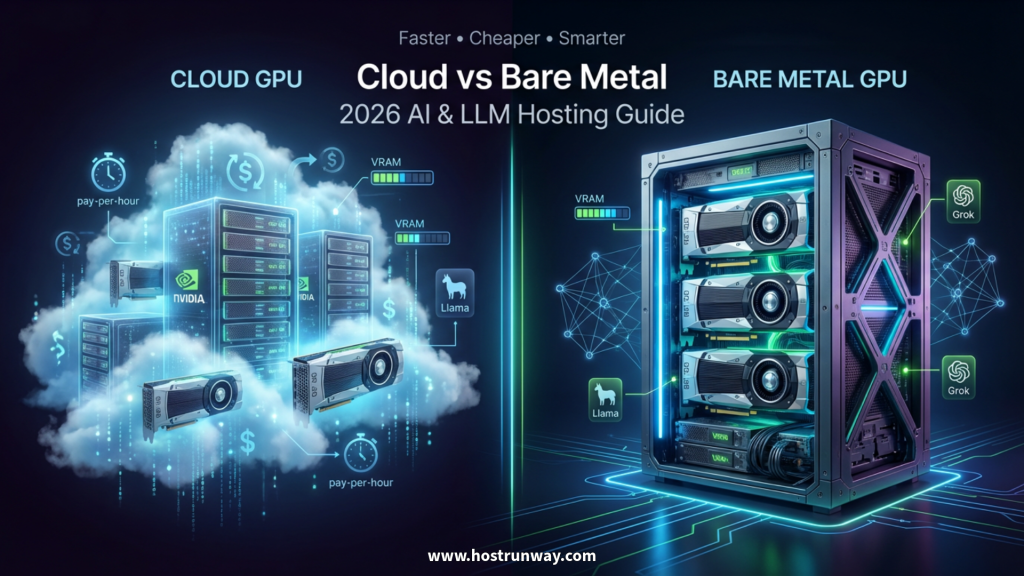

In 2026, every business wants to run powerful AI like ChatGPT or their own smart tools. But one big question stops everyone: which GPU server should I pick for gpu hosting 2026 – cheap cloud or powerful dedicated bare metal?
This guide gives you a clear answer. You will get a side-by-side comparison of cloud vs dedicated bare metal gpu, real cost numbers, a simple VRAM calculator, and practical tips from Hostrunway’s global team. Whether you are just starting out or scaling fast, this guide speaks directly to you.
Who this guide is for:
- Startups and SaaS companies building their first AI product
- AI developers running Llama, DeepSeek, or custom LLMs
- SMEs and enterprises moving AI workloads to production
- ML teams needing the best gpu server for llm 2026
- Brands of e-commerce that employ AI in search, recommendations or chatbots
- Companies that operate with real-time AI are in gaming, streaming, and fintech
- Agencies and resellers managing AI infrastructure for clients
By the end, you will know exactly which option saves you money and gives you faster AI in 2026.
Also Read : GPUs for Everyday AI Assistants: Building Smarter Tools in 2026
Why GPU Servers Matter for AI & LLMs in 2026
AI models in 2026 are enormous. Llama 4 and Grok 4 can each have 405 billion parameters or more. Normal computers cannot run them. GPU servers are super brains that make thousands of computations simultaneously. That is why every serious AI team needs the right GPU setup today.
Three real examples of where GPU servers matter:
- Training your own chatbot – You feed the model your company data. This requires massive parallel computation that only GPUs provide.
- Running RAG for business data – Retrieval-Augmented Generation pulls context from your documents in real time. It needs fast inference to give instant answers.
- Generating images and videos – Text-to-image and text-to-video models require the power and memory (GPU) that cannot be found with a CPU.
The 2026 shift everyone is talking about:
More companies are moving from public cloud back to bare metal because it is faster and cheaper long-term. Cloud bills grow silently. Bare metal gives you predictable pricing and full control over your hardware.
Problems you face without good GPU hosting:
- Slow inference speeds that frustrate users
- Surprise bills that blow your monthly budget
- Server crashes during high-traffic moments
- Shared resources that limit your AI performance
- Long setup queues that delay your product launches
- Zero flexibility to upgrade GPU memory when models grow
This is not a small issue. In 2026, your AI speed is your competitive edge. Pick the wrong GPU setup and you fall behind.
The global AI infrastructure market is growing fast. Enterprises are now building private AI models on their own data instead of using shared public APIs. This means more teams need dedicated gpu server ai resources that they fully control. A shared cloud instance no longer fits. Teams want raw speed, full data privacy, and predictable costs.
The right GPU server in 2026 is not just about running a model. It is about running it fast, running it cheaply, and running it securely for your specific users around the world.
Also Read : GPU Dedicated Server vs Cloud: Which is Best for Your AI and Compute Needs in 2026?
What is Cloud GPU Hosting?
Cloud GPU hosting is like renting a powerful computer from a big provider like AWS, Google Cloud, or a specialist host like Hostrunway. You pay hourly or monthly. You can start in minutes. No hardware to buy or manage yourself.
Easy pros of cloud GPU hosting:
- Start in minutes with no upfront hardware cost
- Scale up or down based on your workload
- Pay only for what you use on short-term projects
- Great for testing new models before going to production
Cons you need to know:
- Higher long-term cost if you run AI 24/7
- Slower performance due to the “virtualization tax” – your GPU is shared across layers of software
- Less control over hardware configuration
- Data privacy concerns when hardware is shared
Cloud GPU hosting is perfect for short projects, model testing, and teams that are still figuring out their workload. For production AI at scale, you need to look at what bare metal offers.
One more thing worth knowing: not all cloud GPU providers are equal. Some offer GPUs in only 3 or 4 regions. If your users are in India, Southeast Asia, or Africa, that matters a lot. Latency from a distant server makes your AI feel slow no matter how powerful the GPU is.
Hostrunway’s GPU Cloud covers 60+ countries. You get cloud flexibility with global reach built in.
What is Dedicated Bare Metal GPU Servers?
Bare metal means you get the full physical GPU server. Nothing is shared. It is like owning the car instead of renting one. You get every bit of GPU power, all the memory, and full control over your setup.
Why bare metal wins for serious AI workloads:
- 20 to 30% faster speed because there is no virtualization layer slowing things down
- Full control over your OS, drivers, and software stack
- Much cheaper for long-term use – typically saves 25 to 40% after just 3 months compared to cloud
- Better security since no one else shares your physical hardware
- Stable, predictable monthly pricing with no surprise bills
What to expect on setup time:
Dedicated GPU servers take 1 to 2 days to provision, depending on your configuration. That is the main trade-off. For small one-time tests, cloud is faster to start. For production workloads that run for weeks or months, the setup time pays off immediately.
Hostrunway’s dedicated gpu server ai options:
Hostrunway gives you bare metal with top-tier GPUs including the B200, H200, and RTX 5090. You choose your CPU, RAM, storage, and OS. Nothing is fixed. Everything is built to match your exact workload.
You also get built-in DDoS protection, enterprise-grade firewalls, and 24/7 real human support. No ticket queue. No bots. A real person helps you when something needs attention.
Dedicated bare metal is the serious choice for teams that run AI in production. It delivers the performance your users expect and the cost savings your finance team will appreciate.
There is another advantage that many teams overlook: compliance. When your GPU server is shared, your data travels through shared infrastructure. For fintech firms, healthcare AI, and legal tech, that is a serious risk. A dedicated bare metal server means your data never touches another company’s workload. This is a key reason why regulated industries are switching to bare metal in 2026.
Hostrunway’s managed options also mean you do not need a full DevOps team to maintain the server. You pick managed or unmanaged. If you want full control, go unmanaged. In case you would like to be hands free in managing your server, Hostrunway has got its own team to do this.
Also Read : Unlocking AI Power in 2026: Top GPUs from RTX 5090 to Affordable Picks for Smarter Setups
Cloud vs Dedicated Bare Metal – Head-to-Head Comparison
This is where the decision gets clear. Here is a direct bare metal gpu vs cloud comparison 2026 across every factor that matters to your business.
Full Comparison Table
| Factor | Cloud GPU | Dedicated Bare Metal GPU |
| Speed | Baseline performance | 20–30% faster (no virtualization) |
| Monthly Cost (1 GPU) | $1,200–$1,800 (24/7 use) | $354–$900 (fixed monthly) |
| Cost After 3 Months | Higher – bills compound | 25–40% cheaper overall |
| Setup Time | 2 minutes | 24–48 hours |
| Hardware Control | Limited | Full control |
| Security | Shared infrastructure | Dedicated hardware |
| Scalability | Easy to scale instantly | Scale with a quick upgrade request |
| Best For | Testing, short projects | Production AI, LLMs, 24/7 workloads |
| Billing Flexibility | Pay per hour or month | Monthly, no lock-in with Hostrunway |
| Support | Ticket-based (varies) | 24/7 real human support |
GPU cloud hosting cost 2026 – What the numbers say
A single NVIDIA H100 costs approximately $2.00 or $3.50 an hour in one of the larger public clouds. In a month (730 hours), it amounts to $1,460 to $2555.
Ask yourself these 5 questions before you decide:
These questions will enable you to know how to choose gpu server for Ai in 2026 that will suit your specific budget and workload.
- Will the run time of this GPU last over 300 hours in a month?
- Do I need consistent performance without shared slowdowns?
- Is data privacy or compliance a concern for my workload?
- Am I running a model with 70B parameters or more?
- Would I prefer predictable billing where nothing is unexpected?
In case you answered YES on 3 or more of those questions, then bare metal is the solution.
In 2026, the obvious choice will be bare metal in terms of production workloads among most artificial intelligence businesses.
One important note: the bare metal vs cloud gap widens as your model grows. For a 7B model, the difference might feel small. For a 70B or 405B model, the speed difference between bare metal and cloud becomes very noticeable. At that scale, every 10% gain in token throughput translates directly into better user experience and lower cost per query.
Hostrunway’s bare metal GPU servers are specifically tuned for LLM inference. You receive NVMe storage to load models quickly, high-bandwidth networking to support multi-GPU systems, and latency-optimized routing to deliver users across the globe with low latency.
Top GPUs in 2026 – B200 GPU hosting, H200, RTX 5090 Explained
When it comes to the correct GPU, everything is different. This is what every best GPU of 2026 is and what it would suit.
GPU Quick-Reference Cards
NVIDIA B200
- VRAM: 192 GB HBM3e
- Memory Bandwidth: 8 TB/s
- Best for: Huge 405B+ parameter models, large-scale training, multi-model inference
- Ideal user: Enterprises running Llama 405B, Grok, or custom foundation models
- Hostrunway config: Available in 8xB200 bare metal configurations
NVIDIA H200
- VRAM: 141 GB HBM3
- Memory Bandwidth: 4.8 TB/s
- Best for: Trade-off Inference and training with 70B to 180B models
- Ideal user: ML production groups operating mid-to-large LLMs every day
- When to pick this: Great balance between price and performance
NVIDIA RTX 5090
- VRAM: 32 GB GDDR7
- Memory Bandwidth: ~1.8 TB/s
- Best for: Startups, smaller models (7B to 30B), image generation, local AI
- Ideal user: Startups, developers, agencies testing or running smaller models
- When to pick this: Best price-to-performance ratio for lean teams
On the H200 vs rtx 5090 question, the H200 handles much larger models and is built for enterprise inference. The RTX 5090 is affordable, fast, and perfect for teams running quantized or smaller models.
GPU Selection Table
| GPU | VRAM | Speed (Bandwidth) | Price Range | Best Model Size |
| NVIDIA B200 | 192 GB | 8 TB/s | Premium | 405B+ parameters |
| NVIDIA H200 | 141 GB | 4.8 TB/s | Mid-High | 70B–180B parameters |
| NVIDIA RTX 5090 | 32 GB | ~1.8 TB/s | Budget-Friendly | 7B–30B parameters |
| NVIDIA H100 | 80 GB | 3.35 TB/s | Mid | 30B–70B parameters |
| NVIDIA A100 | 80 GB | 2 TB/s | Mid | 13B–40B parameters |
Hostrunway offers all of these configurations. You pick the GPU. You pick the RAM, storage, and OS. You get a fully custom server built for your exact workload, not a generic fixed plan.
Also Read : Best GPUs for AI, Big Data Analytics, and VR Workloads in 2026: A Complete Hosting Guide
How Much VRAM Do You Really Need? Calculator & Model Size Guide
This is the question every AI developer asks first. The answer depends on your model size and whether you use quantization.
The Simple VRAM Rule
- 7B model – needs about 16 GB VRAM minimum
- 13B model – needs about 26 GB VRAM minimum
- 30B model – needs about 60 GB VRAM minimum
- 70B model – needs about 140 GB VRAM minimum
- 405B model – needs 192 GB VRAM or more (full precision)
Model Size to GPU Guide
| Model Size | Min VRAM Needed | Recommended GPU | Notes |
| 7B parameters | 16 GB | RTX 5090 (32 GB) | Smooth inference, room to spare |
| 13B parameters | 26 GB | RTX 5090 (32 GB) | Works well with 4-bit quant |
| 30B parameters | 60 GB | H100 (80 GB) | Good fit for production |
| 70B parameters | 140 GB | H200 (141 GB) | Near perfect match |
| 180B parameters | 180 GB+ | H200 or B200 | B200 gives more headroom |
| 405B parameters | 192 GB+ | B200 (192 GB) | Only B200 handles this comfortably |
The Quantization Trick That Saves You Money
Quantization reduces model precision from 16-bit to 4-bit or 8-bit. This lets you run bigger models on smaller GPUs. With 4-bit quantization:
- A 70B model drops from needing 140 GB to around 35 to 40 GB of VRAM
- A 405B model can run on an H200 cluster instead of requiring multiple B200 nodes
- Speed stays close to full precision for inference tasks
This means a well-configured RTX 5090 can handle models that look too large on paper.
run llama 405b on gpu server
To run llama 405b on gpu server in full precision, you need a B200 with 192 GB VRAM. Hostrunway’s 8x B200 bare metal configuration handles this with no issues. With 4-bit quantization, you bring that requirement down enough for an H200-based server.
Hostrunway’s team helps you pick the right config based on your exact model and inference load. You do not need to figure this out alone.
A quick note on multi-GPU setups:
Some models simply cannot fit on one GPU, even a B200. For those cases, you need a multi-GPU bare metal server. This setup handles 405B+ models with high throughput and is designed for teams running serious foundation model inference at production scale.
If you are scaling from a small model today but expect to grow, start with the RTX 5090 and upgrade later. Hostrunway’s flexible billing and no lock-in policy means you upgrade when you are ready, not when a contract forces you.
Also Read : How to Choose the Right GPU for Your AI Project in 2026 – A Complete Guide
Real Costs, Performance & Global Latency in 2026
Numbers matter. Here is a practical look at what GPU hosting actually costs in 2026, what performance you get, and why location changes everything.
GPU hosting cost calculator 2026 – Cost Per Million Tokens
| GPU | Type | Est. Monthly Cost | Tokens/Second | Cost Per 1M Tokens (Est.) |
| RTX 5090 | Bare Metal | ~$354/mo | ~1,200 tok/s | ~$0.08 |
| H100 | Cloud (24/7) | ~$1,500/mo | ~2,100 tok/s | ~$0.20 |
| H200 | Bare Metal | ~$600/mo | ~3,000 tok/s | ~$0.06 |
| B200 | Bare Metal | ~$900/mo (8x) | ~5,500 tok/s | ~$0.05 |
| A100 | Cloud (24/7) | ~$1,200/mo | ~1,500 tok/s | ~$0.23 |
Bare metal consistently delivers lower cost per token because you are not paying the cloud markup on top of hardware costs.
Performance: Bare Metal vs Cloud
On the same GPU model, bare metal delivers 20 to 30% more tokens per second compared to cloud instances. The reason is simple. Cloud GPUs run through a hypervisor layer. That layer adds latency between your application and the physical GPU. Bare metal removes that layer entirely.
Real benchmark example:
A team running Llama 70B on a cloud H100 instance averaged around 1,800 tokens per second. The same model on a Hostrunway bare metal H100 server averaged around 2,300 tokens per second. That is a 28% gain for the same model and the same GPU.
Why Global Latency Changes Your AI Experience
Your AI might be fast on the server. But if the server is 15,000 km from your users, they still feel lag. Hostrunway’s 160+ data centers across 60+ countries solve this.
- Deploy in India (Noida, Bangalore) for South Asian users
- Deploy in Singapore or Tokyo for Southeast and East Asian users
- Deploy in Germany or Amsterdam for European users
- Deploy in New York, Dallas, or Los Angeles for US users
Latency-optimized routing means your AI responses feel instant to users no matter where they are. For fintech, gaming, and real-time chat applications, this is not optional. It is the difference between a product that feels alive and one that feels broken.
Why this matters for your specific use case:
- E-commerce AI – Product recommendation engines need sub-100ms response times. A nearby Hostrunway server in Singapore, India, or Germany keeps that response time tight.
- Fintech and trading platforms – Forex and crypto AI models need extremely low latency. Hostrunway’s Tier III/IV data centers with high SLAs are built for this.
- Gaming and streaming – Real-time AI for game NPCs, content moderation, or live stream suggestions needs single-digit millisecond response times from nearby servers.
- SaaS AI features – If your SaaS product has users in 10 countries, a single US-based GPU server will feel slow to half your users.
- Enterprise-grade DDoS protection and firewall support come standard. For high-risk applications, Hostrunway also offers optional managed security services. Your AI workload stays protected from day one.
Also read : Best GPUs for Crypto Mining in 2026: NVIDIA RTX 4090 vs AMD RX 7900 XTX – Which One Wins for Profit?
Your Complete Action Plan – Get Started with Hostrunway Today
You have the knowledge. Now here is your step-by-step path to launching your GPU server the right way.
Your 4-Step Launch Checklist
Step 1: Know your model size
- Write down the parameter count of your model (7B, 70B, 405B?)
- Note whether you will use quantization
- Estimate your daily inference volume (tokens per day)
Step 2: Choose cloud or bare metal
- Testing or short project? Start with Hostrunway GPU Cloud at $38/month
- Production workload or 24/7 inference? Go dedicated bare metal GPU server
- Running 300+ GPU hours per month? Bare metal saves you money from day one
Step 3: Pick your GPU
- Startup or small model (under 30B): RTX 5090 bare metal
- Mid-size production (30B–70B): H100 or H200 bare metal
- Large-scale LLM (70B–405B): H200 or B200 bare metal
- Need b200 gpu hosting for a 405B model
Step 4: Launch your server
- Visit hostrunway.com for GPU pricing
- Contact Hostrunway’s support team to get a custom config built for your workload
- Provision your server (often within 24 hours)
- Deploy your model and start serving users
Get your custom Hostrunway GPU config and pricing today.
No lock-in period. Month-to-month billing. Real human support from day one.
Frequently Asked Questions
Q1: What is the difference between cloud GPU and dedicated bare metal GPU?
Cloud GPU means you rent a virtual slice of a physical server shared with others. Bare metal means you get the full physical GPU server to yourself. Bare metal is faster, cheaper long-term, and more secure.
Q2: How do I know how much VRAM I need for my LLM?
Use this simple rule: multiply your model’s parameter count by 2 to get the approximate VRAM in GB at 16-bit precision. A 70B model needs roughly 140 GB. Use 4-bit quantization to cut that number by 4x.
Q3: Is gpu hosting 2026 expensive for startups?
Not with the right provider. Hostrunway’s GPU Cloud starts at $38/month and dedicated GPU bare metal starts at $354/month. With no lock-in periods and flexible billing, startups can scale up only when they need to.
Q4: Can I run Llama 405B on a single server?
Yes. Hostrunway’s 8xB200 bare metal configuration provides 192 GB of VRAM per GPU, which is exactly what Llama 405B needs in full precision. You can also use 4-bit quantization on an H200 cluster to reduce the hardware requirement.
Q5: Why choose Hostrunway over big cloud providers for GPU hosting?
Hostrunway offers dedicated bare metal with no virtualization tax, 160+ global locations for low latency, fully custom hardware configurations, 24/7 real human support, and no long-term lock-in. Big cloud providers charge more for GPU time and give you less control over your stack.