

Introduction
Suppose a startup invests $5,000 in the best budget GPUs for AI Workload in 2026 only to find that they purchased much more power than their applications would ever need. That is one of the mistakes many teams commit. AI models are growing fast. They become more complicated every 18 months or so. Local operation of AI will save your company cash and keep your information safe. However, it only depends on the choice of the proper GPU initially.
The local AI is currently on a boom and there are two major reasons that are behind this. To begin with, laws regarding privacy of data are tightening up with each passing year. Most businesses are not able to pay the cost of transferring confidential information to the cloud. Second, cloud expenses continue to increase – approximately 20 percent annually. Operating models locally provides you with predictability and control of your costs.
There is only one important concept before you can purchase it and that is VRAM. This is the RAM in your graphics card. Consider it to be similar to desk space as you require a minimum of it to work with. Smaller sizes of AI models (such as 7B parameter models) require 12GB of VRAM or more. In bigger models (even with compression) such as 70B parameter models, 24GB or more are required. Choose a GPU with insufficient VRAM and your AI models just will not load.
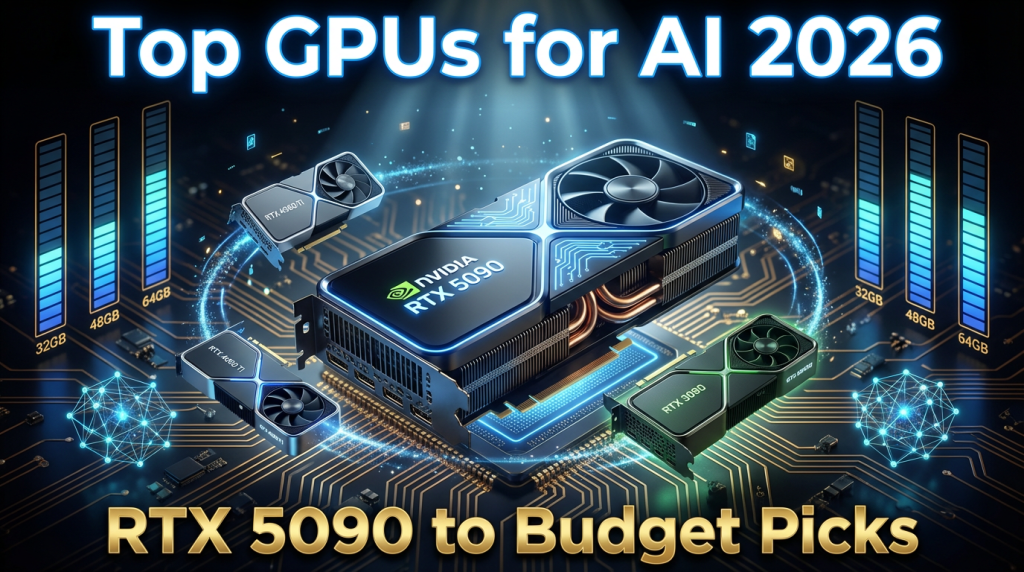
It features the best GPUs for Budget AI in 2026, including the high-end RTX 5090, smart budget cards, and useful advice to ensure you get the most out of your investment.
Also Read : AMD vs NVIDIA 2026: Which GPU Provider Fits Your Needs? – Honest Comparison
Understanding Your Local AI Needs
Not all AI work is the same. You cannot spend one single dollar without knowing what type of work you are going to do. The local AI workloads are of three principal types.
The Three Main Workloads
- Inference: Running an AI model that has been trained to write or provide responses. This is the lightest task. It needs less VRAM and power.
- Fine-tuning: Adapting an existing model with your own data. This takes more VRAM and time.
- Training small models: Training a model directly on your machine. This is not the easiest task.
VRAM Requirements for AI Models
| Model Size | Example Model | Min VRAM | Recommended VRAM |
| 7B Parameters | Qwen 2.5-7B | 12GB | 16GB |
| 13B Parameters | Llama-13B | 16GB | 24GB |
| 30B Parameters | Mixtral | 24GB | 32GB+ |
| 70B Quantized | Llama-70B Q4 | 24GB | 48GB+ |
Key Trends Shaping Your Choices in 2026
Three trends you need to know before purchasing hardware this year. To begin with, GDDR7 memory scarcity is increasing the prices of GPUs throughout the board. Approaches spend 10-15% higher than previous year. Second, power bills accumulate within a short time. A 575W graphics card that will be used 8 hours daily will increase actual money to your monthly payments. In regard to home setups, energy-efficient GPUs for home AI setups are more important than ever. Third, NVIDIA is still preferred by the software ecosystem. Most of the AI tools are powered by its CUDA platform. The ROCm software of AMD is yet to be fully arrived at but is progressing.
In the case of developers and startups, consider total cost of ownership (TCO). A used RTX 3090 with 24GB VRAM would have 2-3 times higher ROI than renting cloud GPUs to use in infrequent instances. The beginning of Cost-effective AI hardware 2026 is such a smart calculation.
Also Read : H100 vs B200 vs GB200: Which GPU Should You Rent Right Now for AI in 2026?
Top Premium Pick: NVIDIA RTX 5090 for AI
Assuming that budget is not the primary factor, the RTX 5090 for AI would be the obvious choice in 2026. Based on the Blackwell architecture created by NVIDIA, it is a card that becomes a new standard in terms of local AI performance.
Key Specs at a Glance
| Spec | Details |
| VRAM | 32GB GDDR7 |
| Memory Bandwidth | 1.79 TB/s |
| Speed | 5,841 tokens/sec on 7B models (2.6x faster than A100) |
| Power Draw (TDP) | 575W |
The comparison between RTX 5090 vs RTX 4090 for AI is not close. The 5090 has almost twice the memory bandwidth and significant increase in raw throughput. In the 30B-70B quantized group of mid-size models, the 5090 is in a class all by itself with consumer cards.
Blackwell architecture incorporates optimizations in agentic AI tasks. This implies that it can support multistage AI processes than the older cards do. When you are developing AI agents, autonomous tools, or multi-faceted pipelines, this GPU will be the future of your business in 2027.
Pros and Cons
| Pros | Cons |
| Best performance for 30B-70B quantized models | $1,999+ price tag is steep |
| 32GB VRAM handles large context windows | 575W power draw needs a 1,200W+ PSU |
| Future-proof Blackwell architecture | Hard to find in stock at launch |
| Ideal for video generation and high-throughput inference | Overkill for basic 7B inference tasks |
Business Insight: This is most beneficial to freelancers and small teams that use AI side projects. This card will match a 1,200W PSU and will form an entire powerhouse system with less than $3,000 spent.
Also Read : Best GPUs for Video Editing 2026: NVIDIA vs AMD – Full Comparison & Picks
Mid-Range Options: Balanced Performance for Everyday AI
It is not necessary to invest over $2,000 to run serious AI in place. Most teams have good chances in the mid-range market in 2026.
NVIDIA RTX 4090: Still a Workhorse
In 2026, NVIDIA RTX 4090 AI has not yet become a thing of the past. It has 24GB GDDR6X VRAM, which is good at processing 70B quantized models. They are available at lower prices as second hand. Provided that you have not already taken the 5090 launch or would like to get a cheaper one, this is still a high-end choice.
RTX 4070 Super for Inference
The inference version of the RTX 4070 Super is an ideal sweet-spot card in teams that are keen on running finished models. It has 12GB VRAM, and its cost is significantly cheaper (600-700) therefore 7B-13B models are easily handled. It consumes much less power compared to the 4090 and therefore is an intelligent option in the home setup.
RTX 4070 Ti Super and RTX 5070 Ti
The two cards are both 16GB VRAM and are priced at $800-$1200. They are firm to take GPU for fine-tuning LLMs in the 13B-30B scale. All these fill the gap in case you require the option to customize models on your own data but do not justify the price of the 5090.
Mid-Range Comparison Table
| Model | VRAM | Price Range | Tok/Sec (7B) | Best For |
| RTX 5090 | 32GB | $1,999-$2,500 | ~5,841 | Large models, high throughput |
| RTX 4090 | 24GB | $1,600-$2,000 | ~2,200 | 70B quantized, fine-tuning |
| RTX 4070 Ti Super | 16GB | $800-$1,200 | ~1,400 | Fine-tuning 13B-30B models |
| RTX 5070 Ti | 16GB | $900-$1,200 | ~1,600 | Fine-tuning, daily inference |
| RTX 4070 Super | 12GB | $600-$700 | ~900 | Daily inference, 7B-13B |
Problem-solving tip: When the workload goes through the roof and your local card can handle only the load, hybridize with cloud rentals. The gap between purchasing an upgrade and crunch time can be closed by renting a GPU on RunPod at $0.69/hr without an upgrade.
Also Read : RTX 5090 vs RX 9070 XT vs Arc B580: Best Gaming GPU Comparison 2026
Budget Alternatives: Best GPU for Running AI Locally on a Budget
Not everyone needs a $2,000 GPU. The good news is that the budget GPU for AI market in 2026 is strong. You can run real AI workloads for well under $1,000. Here are the top picks if you need affordable GPUs for 7B-70B models 2026.
RTX 4060 Ti (16GB): Best Entry-Level Pick
On the other end, the 16GB edition of the RTX 4060 Ti is hitting well above its cost at about 500 dollars. It has 7B-13B models with ease. It is the card that developers studying AI locally or doing experiments without wanting to spend a big budget rely on.
RTX 4070 Super: Budget King for Inference
The RTX 4070 Super for inference at 600 dollars has 12GB of VRAM and a good throughput of 7B models. In teams that prefer operating finished models on a daily basis, this is very valuable and does not strain the budget.
Used RTX 3090: Best Bang for Budget Builders
The reason why the used RTX 3090 budget pick option is unique is because it has 24GB of VRAM at a low price of 600-800 on the used market. It is equivalent to a new RTX 4090 selling at a discount smaller than half the cost. The disadvantage is increased power consumption and old performance. However, it is difficult to substitute when it comes to teams with limited funds that need to operate bigger models.
RTX 5050 and RTX 5060 Ti: Entry-Level Basics
These are the newer entry level cards by NVIDIA that cost between $200 and $400. Their work is on very basic local AI work and learning projects. They do not fit on more than 7B models.
Budget GPU Comparison Table
| Model | VRAM | vs. Premium Savings | Best For |
| RTX 4060 Ti 16GB | 16GB | Save ~75% | Learning, 7B-13B models |
| RTX 4070 Super | 12GB | Save ~70% | Daily inference, hobbyists |
| Used RTX 3090 | 24GB | Save ~65% | Budget teams, larger models |
| RTX 5060 Ti | 8-12GB | Save ~85% | Basics, entry-level AI |
| RTX 5050 | 8GB | Save ~90% | Learning only |
Non-NVIDIA Alternatives: AMD Alternatives for AI, Intel, and Beyond
It is not that NVIDIA is the sole choice. AMD alternatives for AI and Intel cards have been enhanced in the year 2026. In the event of a supply shortage or a price boom of NVIDIA, these are actual options to be considered.
AMD RX 9070 XT and RX 9060 XT
The new cards by AMD have 16-24GB VRAM. The AI software of AMD, called ROCm, continues to evolve and can support the majority of popular tools. The hybrid performance of AMD is a great bargain to teams that operate 1440p gaming in addition to AI workloads. In a variety of benchmarks, AMD cards perform a similar workload at approximately a third the price of comparable NVIDIA cards.
Intel Arc B580 Ai and B770
The support of Intel Arc B580 local AI is no longer a risk in 2026. The Arc series by Intel has addressed the majority of the initial reliability problems. The B580 and next generation B770 cards are priced at $200-300 and ideal in low budget AI experimentation. They are not currently as quick as NVIDIA at heavy AI work, however, at a tight budget they make a good base point.
Apple M4 and M4 Pro: For Mac Teams
The M4 chips developed by Apple have an unified memory. The implication here is that the memory pool between your CPU and your GPU is shared. M4 Pro MacBook 24GB unified memory can support small AI models (up to 13B). In the case of Mac-first development teams, it is a hassle-free and power saving deal beginning at approximately $1599.
Non-NVIDIA Quick Comparison
| Card | VRAM | Price | Strengths | Weakness vs. NVIDIA |
| AMD RX 9070 XT | 16-24GB | $600-$1,000 | Value, 37% cheaper | ROCm not as mature as CUDA |
| Intel Arc B580 | 12GB | $200-$250 | Budget entry | Slower AI throughput |
| Apple M4 Pro | 24GB unified | ~$1,599 | Efficiency, Mac ecosystem | MacBook only, no desktop option |
Business tip: It is good business practice to spread out your suppliers in order to cushion against any supply losses. In the event of NVIDIA supply being exhausted under GDDR7 supply, AMD or Intel could keep their projects going.
Also Read : Best GPUs for Crypto Mining in 2026: NVIDIA RTX 4090 vs AMD RX 7900 XTX – Which One Wins for Profit?
Setup Tips and Optimization Strategies
The first step is to have the appropriate GPU. The second step is to set it up properly. This is what will make a local LLM setup 2026 smooth.
Power Supply and Cooling Requirements
- RTX 5090 needs a 1,200W PSU minimum. Do not cut corners here.
- Mid-range (RTX 4090, 4070 Ti Super) is compatible with 850W-1000W PSU.
- The budget cards are compatible with 650W PSUs.
- Good case airflow matters. AI tasks require longer durations of gaming which uses more GPUs compared to gaming.
- Take into consideration aftermarket cooling in case you are going to have a long history of fine-tuning.
Quantization: Your Secret Weapon
Quantization makes the model less precise to consume less VRAM. Full precision 70B model requires 140GB of VRAM. It requires only 24GB as quantized to 4-bit (Q4). Quantization is automatically dealt with by tools such as llama.cpp, Ollama and LM Studio. It works like that to run large models on affordable GPUs for 7B-70B models 2026 without a fortune.
Key insight: With most applications, the VRAM requirements can be slashed by 50 per cent with only slight differences in quality.
Multi-GPU Setups
Two of the RTX 3090s (running 48GB of VRAM) are cheaper than a single RTX 5090 and will support larger models. This is effective where ML/AI teams operate 70B+ models on a regular basis. Complexity in set-up and increased overall power consumption is the trade-off.
Cost-Saving Hacks
- Buy used or refurbished cards from reputable sellers. This is where the used RTX 3090 budget pick really shines.
- Watch for deals during GPU restocks, especially as GDDR7 supply stabilizes in mid-2026.
- Use energy-efficient GPUs for home AI setups to keep electricity bills low month after month.
- Run inference during off-peak hours to avoid thermal throttling on extended workloads.
Future-Proofing Your Rig
Specific chips (ASICs) of AI are now available on the consumer market. By the year 2027, special AI accelerators can change the value equation. Now purchase a graphics card in a desktop computer that can be upgraded so that you can change parts later without having to reassemble the entire computer.
Common Setup Questions
- Q: Can I run a 70B model on a budget card? Yes, with Q4 quantization. A used RTX 3090 handles Llama-70B Q4 comfortably.
- Q: Do I need a special motherboard? No. Any modern PCIe 4.0 or 5.0 motherboard works with all listed cards.
- Q: Is water cooling needed? Not required, but it helps if you run extended fine-tuning sessions lasting several hours.
Running Your AI Workloads at Scale: Where Hostrunway Fits In
Local GPUs are great for development and testing. But when your AI project grows and needs to run 24/7, serve thousands of users, or operate across multiple regions, that is where Hostrunway steps in.
Hostrunway powers businesses with dedicated servers in 160+ locations across 60+ countries. If your local setup is your lab, Hostrunway global infrastructure is your production floor. Here is why AI and LLM teams choose Hostrunway:
- Custom-Built Servers: Choose your own CPU, RAM, storage, and OS to match your exact workload. No fixed plans that waste resources.
- Instant and Fast Server Provisioning: Servers are ready in hours, not days. Launch or scale without delays.
- Latency-Optimized Routing: Built for real-time AI applications, gaming, streaming, and fintech where milliseconds matter.
- No Lock-In Period: Month-to-month billing with flexible upgrade options. Scale up when you need, scale down when you do not.
- 24/7 Real Human Support: Your team gets a real person, not a ticket queue, whenever something goes wrong.
- Enterprise-Grade Security with DDoS Protection: Built-in protection for sensitive AI applications and high-risk workloads.
- Affordable Global Hosting Solutions: Competitive pricing in the USA, India, Singapore, and 60+ other countries.
For startups and SaaS companies moving from local AI experiments to global deployment, Hostrunway makes the transition smooth and budget-friendly.
Also Read : Best GPUs for AI, Big Data Analytics, and VR Workloads in 2026: A Complete Hosting Guide
Conclusion
The RTX 5090 is a powerhouse, whereas the RTX 4060 Ti is affordable; the correct GPU will solely depend on the load and budget you have. Scale the match hardware to your size. Buy not more than you need in operations that a cheaper card can perform well.
Learners: Learn on a small scale. The RTX 4070 Super is a good starting point of most of the inference workloads at $600. When your projects require it, scale up. The middle-range products of NVIDIA provide you with the opportunity to expand without the full replacement of the equipment.
For teams ready to move beyond local testing and into global AI deployment, explore Hostrunway at hostrunway.com. With dedicated servers in 160+ locations, instant provisioning, and no lock-in periods, it is built for teams that need speed, scale, and reliability at every stage of growth.
Today, the appropriate GPU is not only a cost in the AI space. It is an investment which offers 2-5x efficiency improvement of the correct workloads versus the cloud alternative. Choose the option that will satisfy your present needs and be able to expand.
FAQs
1. What is the best GPU for running AI under budget in 2026?
The RTX 4060 Ti 16GB at around $500 is the top entry-level pick. For more VRAM on a tighter budget, the used RTX 3090 budget pick at $600-$800 offers 24GB of VRAM. Both handle 7B-13B models well for most everyday AI tasks.
2. How does the RTX 5090 compare to the RTX 4090 for AI?
RTX 5090 vs RTX 4090 for local AI is a clear win for the 5090. It offers 32GB VRAM versus 24GB, nearly double the memory bandwidth, and roughly 2.6x higher token generation speeds. The RTX 4090 costs less and is still excellent for most teams that do not need the top-end throughput.
3. What are VRAM requirements for AI models?
VRAM requirements for AI models depend on model size. A 7B model needs at least 12GB. A 13B model needs 16GB. A 70B model quantized to 4-bit needs around 24GB. Always match your GPU’s VRAM to the largest model you plan to run.
4. Can AMD cards run AI models well in 2026?
Yes. AMD alternatives for AI in 2026 are more viable than before. The RX 9070 XT offers strong performance at a lower cost than comparable NVIDIA cards. ROCm software support has improved, though NVIDIA’s CUDA ecosystem is still wider and more supported by AI tools.
5. Is the Intel Arc B580 a good choice for AI?
Intel Arc B580 local AI support is growing in 2026. It is a solid budget choice at $200-$250 for basic AI tasks and learning. It is not yet as fast as NVIDIA or AMD for heavy AI workloads, but it works well for entry-level inference and experimentation.


This was an excellent read for AI enthusiasts and professionals alike. The article clearly explains how modern GPUs impact AI performance, local LLM processing, and smarter computing setups. I also liked the balanced discussion around cost and efficiency, making it easier for readers to make informed hardware decisions today.
Thanks! Glad the balanced cost vs efficiency angle landed well. That’s what we aim for — practical advice for real setups.
Appreciate you reading it!
“Excellent breakdown. Finding that perfect balance between hardware cost and AI inference speed is everything for small teams right now.”
Thanks! As an admin, I completely agree. Striking the right balance between hardware cost and inference speed is crucial for small teams right now.
It’s all about staying efficient without burning cash. Excellent point!
The leap to 32GB GDDR7 VRAM on the RTX 5090 is a massive deal for local setups. Running larger 70B parameter models without heavy quantization has always been a bottleneck here in Singapore. This guide perfectly addresses how the Blackwell architecture changes the game for cost-effective local LLM development.
Thanks! As a mod, I fully agree — the 32GB GDDR7 VRAM on the RTX 5090 is a major breakthrough for running 70B models with less quantization. Especially valuable in Singapore with power and cooling constraints.
Blackwell is making local LLM development far more practical. Great insight!
Excellent hardware overview! While the processing gains are immense, managing that massive 1200W PSU requirement and thermal output locally takes serious planning. HostRunway nailed the balance between detailing raw performance and actual total cost.
Thank you! Really appreciate you calling that out.
You’re exactly right — the raw performance numbers look incredible on paper, but the 1200W+ PSU and heat management quickly become the real bottleneck when running locally. That’s why we put so much emphasis on total cost of ownership, not just specs.
Glad the overview landed well. If you’re comparing options or want to dig into how we handle high-power GPU deployments (power, cooling, and all-in costs), just let me know — happy to share more.
Excellent guide! For small startups on a budget, do you recommend renting the RTX 4060 Ti for light fine-tuning?
Thanks! The 4060 Ti 16GB can do very light LoRA on small models, but it gets restrictive fast. Most small teams get better results (and less frustration) with 24GB cards for the same budget.
What model sizes are you looking to fine-tune?
Merci pour ce guide. Recommandez-vous d’associer deux cartes RTX 3090 d’occasion en cluster plutôt que d’acheter une seule carte de nouvelle génération ?
Deux RTX 3090 en cluster, c’est tentant sur le papier — mais la complexité NVLink, la latence inter-GPU et les limitations ROCm/CUDA multi-card peuvent vite devenir un cauchemar en production. Une seule carte nouvelle génération, c’est plus simple, plus efficace, et souvent plus rentable sur le long terme. Investissez malin.
Fantastic guide for planning compute resource needs. How do HostRunway’s facilities handle the extreme power and cooling demands of clustered flagship graphic cards?
Great question! Hostrunway data centers are purpose-built for high-density GPU clusters — enterprise cooling, redundant power supply, and optimized thermal management keep flagship cards running at peak performance 24/7. No throttling, no downtime, just raw compute.
Very insightful setup breakdown. For budget-conscious AI developers, is it better to buy one flagship RTX 5090 or pool two cheaper, mid-range GPUs instead?
Thanks! Great question.
For most AI workloads, one high-VRAM GPU like the RTX 5090 is usually better. It’s simpler, has better performance, and avoids the complexity of splitting workloads across multiple cards.
Pooling two cheaper GPUs can save money but often adds overhead and limitations.
What kind of models are you planning to run?
Super analyse de la gamme 2026. Si je craque pour l’architecture Blackwell de la 5090, une alimentation standard de 850 watts suffit-elle pour l’inférence ?
Merci ! Bonne question.
Pour de l’inférence sur une RTX 5090, une alimentation de 850W peut suffire dans une config bien optimisée, mais c’est un peu juste. Les pics de consommation font que 1000W+ est nettement plus confortable et recommandé pour la stabilité sur le long terme.
The Blackwell architecture introduces native hardware support for NVFP4 and NVFP8 quantization formats, which preserves exceptional reasoning accuracy at a fraction of memory footprints.
True. Blackwell’s native support for NVFP4 and NVFP8 is a significant step forward. It allows large models to run with much lower memory usage while keeping accuracy high, which directly helps reduce inference costs and makes it easier to deploy bigger models on fewer GPUs. This is especially useful for production-scale AI workloads in 2026.
The RTX 5090 features a 512-bit memory bus with GDDR7 modules, achieving a massive 1.792 terabytes per second bandwidth that drastically cuts token generation latencies.
Exactly! The RTX 5090’s 512-bit bus with GDDR7 delivers up to 1.792 TB/s bandwidth, which really helps reduce token generation latencies for local LLMs.
It’s one of the best options for high-speed inference on our servers.
Looking to rent one or need config advice? Let me know!
While private execution completely eliminates external data leaks, how do your virtual private servers ensure compliance with regional medical record protection laws during local deployment?
Private execution on our VPS keeps your data fully isolated with no external leaks. We support compliance with medical record laws (HIPAA/GDPR) through regional server locations, strong encryption, access controls, and audit logs. BAAs available for HIPAA.
Fifth generation Tensor Cores with native FP4 precision enable running dense seventy billion parameter models completely inside local desktop graphics card memory frame buffers smoothly.
Blackwell’s 5th-gen Tensor Cores and native FP4 do make 70B models much more practical on high-end desktop GPUs.
VRAM still matters though — a single 32GB card can run it for lighter use, but longer context or heavier load usually needs more memory.
If you outgrow the desktop card, we have H100/H200/B200 nodes ready. Share the model and context size and we’ll recommend the right setup.
How mature is software framework support for Blackwell native NVFP4 quantization formats when deploying local language model inference engines like llama cpp and vLLM today?
Support is growing, but it is not equally mature everywhere.
vLLM and TensorRT-LLM are further along with Blackwell NVFP4. llama.cpp is fine for common GGUF quants, but native NVFP4 support is still thinner and more version-specific.
If you need stable production inference today, FP8 or a well-tested 4-bit path is safer. Use NVFP4 when your engine explicitly lists it for that model.
Share the model and engine and we can tell you what will run cleanly.
The thirty two gigabyte frame buffer on the RTX 5090 genuinely transforms local workflows by comfortably loading complex reasoning models while preserving essential memory headroom to handle long documentary contexts without spilling into system RAM.
Spot on! 32GB VRAM is a game-changer for local AI — fit full reasoning models plus long context windows without any system RAM spillover. No spilling = no PCIe bottleneck = real-time performance. Need even more VRAM headroom for larger models? Our dedicated GPU servers scale beyond desktop limits
Does native NVFP4 precision on the RTX 5090 preserve logical accuracy while halving active memory footprints compared to FP8 quantization running across older graphics cards?
Yes! NVFP4 on the RTX 5090 nearly halves memory usage compared to FP8 while keeping accuracy surprisingly intact for most inference tasks. This means larger models in less VRAM — a real game-changer. Want to push the limits? Deploy on our GPU servers and scale without memory bottlenecks
The RTX 4060 Ti sixteen gigabyte card remains the most affordable entry for loading quantized fourteen billion models, although its narrow 128 bit memory bus limits token generation speeds compared to wider memory bus alternatives.
Good point. The 16GB VRAM gets the model loaded, but that 128-bit bus becomes the real bottleneck during inference. You’ll notice it most during longer generations where tokens/second drops noticeably compared to cards like the RTX 3090 with its 384-bit bus. For loading and experimenting with quantized 14B models it’s solid, but for actual production-speed inference, wider bus cards still have a clear edge.
Does the narrow 128 bit memory bus on the sixteen gigabyte RTX 4060 Ti bottleneck prompt evaluation and token generation so heavily that developers should avoid it despite being the cheapest high capacity VRAM card?
The 128-bit bus limits bandwidth but 16GB VRAM is the real value here. For quantised 7B-13B models, it handles local inference fine.
Not a production card. But for dev work, prototyping, and budget experimentation — it’s the cheapest way to get 16GB VRAM without jumping to enterprise pricing.
Use it to build and test. Deploy on proper hardware.