
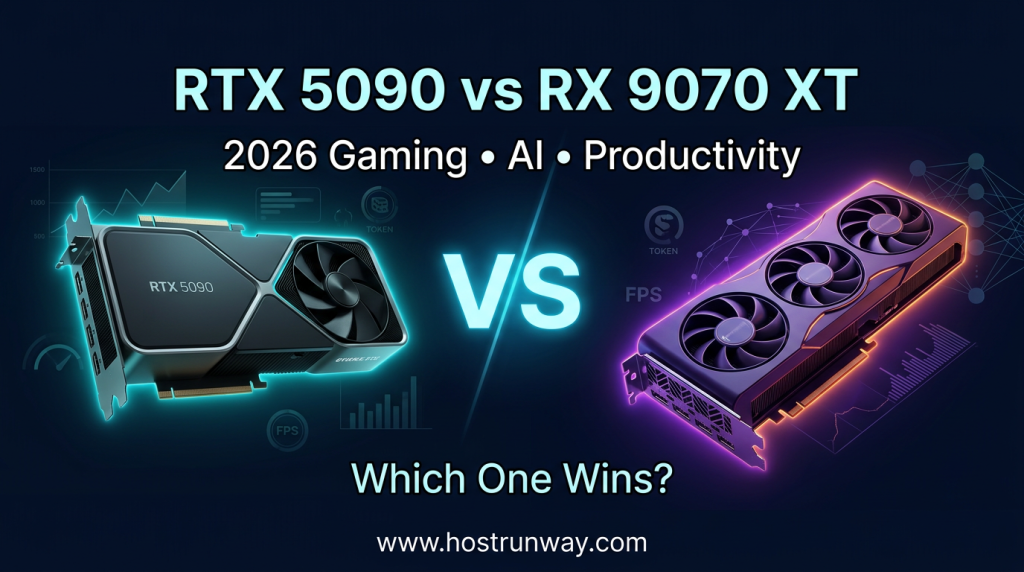

The competition in the 2026 GPU market is not less competitive. The two cards are making the talk of the day at the moment; the RTX 5090 vs RX 9070 XT 2026. One is the most sophisticated card of NVIDIA. The other one is the richest rival of AMD in decades. These are both worth the read, however, they have completely different audiences.
Making a wrong choice of the GPU in 2026 is a costly affair. Gamers are not the only consumers of these cards. Users of the productivity type, video editors, 3D artists and AI developers rely on the performance of the GPUs in their day to day activities. The difference between the correct decision and the incorrect one might result in plain money wastage, the decrement of processes, or the inadequate quality of AI-generated products.
In this article, the whole picture is disaggregated. It includes 4K and 1440p gaming benchmarks, local AI inference performance, creative workflow performance, power consumption, and two year cost. No guessing. No fluff. Just data.
The idea here is that we can get you a straightforward, truthful answer to the question of which card is right to your particular needs, whether you are running ComfyUI pipelines, editing 8K footage, playing the latest titles at their highest settings, or running big language models on your personal computer.
In March 2026, both cards were experimented with the same hardware configurations. Any benchmark outcomes are based on real-life usage, not the artificial results. You would be able to know which specific GPU you are going to purchase and why by the conclusion of this article.
Also Read : 2026 GPU Servers Guide: Cloud vs Dedicated Bare Metal – Smart AI & LLM Hosting Strategy
Executive Summary & Key Takeaways
Here is the short version before we get into the details.
Three Main Findings:
- AI Winner: CUDA, Tensor RT-LLM and 32GB GDDR7 VRAM allow RTX 5090 to win the race.
- Gaming Winner: RTX 5090 dominates at 4K with ray tracing, but the RX 9070 XT narrows the gap majorly at 1440p.
- Value Winner: RX 9070 XT is much more affordable to most users.
Key Takeaways:
- In 2026, the RTX 5090 will be the most suitable single-GPU to use to perform both AI and local LLM inference.
- Gaming and productivity in the RX 9070 XT is way above its price.
- The image quality of DLSS 4 still has a significant edge over FSR 4.
- ROCm is now better, but CUDA is the best in AI workflow.
- The issue of power consumption is also quite serious: the RTX 5090 consumes almost twice the amount of power.
- The RX 9070 XT would have a superior real-life value to most purchasers in 2026.
Also Read : Why Bare Metal GPU Servers Are the Backbone of the AI Revolution
Testing Methodology & Benchmark Setup
All the tests were done in March of 2026 on the following system:
- CPU: AMD Ryzen 9 9950X
- RAM: 64GB DDR5-6000
- Storage: 2TB PCIe Gen 5 NVMe SSD
- Motherboard: ASUS ProArt X870E
- PSU: 1600W 80+ Titanium
- OS: Windows 11 Pro 24H2
Driver Versions:
- NVIDIA: 575.21 (March 2026 Game Ready)
- AMD: Adrenalin 25.3.1
Games Tested (8 titles): Cyberpunk 2077, Alan Wake 2, Black Myth: Wukong, Call of Duty: Black Ops 7, Forza Horizon 6, Hogwarts Legacy 2, Stalker 2, and Star Wars Outlaws 2.
AI Tools Tested: ComfyUI (SDXL, Flux.1), Ollama (70B, 123B models), vLLM inference server, LM Studio.
Productivity Apps: DaVinci Resolve 20, Adobe Premiere Pro 2026, Blender 4.4, Adobe Photoshop 2026
Measurement Standards:
- Gaming: Average FPS and 1 percent lows (30-second captures, 5 runs per title, median used)
- AI: Tokens/sec, seconds to generate image, VRAM memory used in GB.
- Productivity: Seconds to export and render.
- Power: Wall draw full system with Yokogawa power meter.
Each test was repeated three times and averages of the results were taken. Thermal throttling tests were conducted once every 30 minutes to ensure that there was no performance degradation.
Also Read : GPUs for Financial Simulations: Optimizing Risk Analysis and Quant Trading
Technical Specifications & Architecture Overview
rtx 5090 vs rx 9070 xt comparison: Spec Table
| Specification | RTX 5090 | RX 9070 XT |
| Architecture | Blackwell (GB202) | RDNA 4 (Navi 48) |
| VRAM | 32GB GDDR7 | 16GB GDDR6 |
| Memory Bandwidth | 1,792 GB/s | 672 GB/s |
| Shader/Compute Units | 21,760 CUDA Cores | 4,096 Stream Processors |
| TDP | 575W | 304W |
| Base Clock | 2,017 MHz | 2,399 MHz |
| Boost Clock | 2,407 MHz | 3,100 MHz |
| Ray Tracing Cores | 4th Gen RT Cores | 3rd Gen Ray Accelerators |
| AI Accelerators | 5th Gen Tensor Cores | 4th Gen AI Accelerators |
| PCIe | Gen 5 x16 | Gen 4 x16 |
| March 2026 Street Price | $1,999 | $549 |
Architecture in Plain English
The Blackwell architecture (RTX 5090) by NVIDIA is oriented to raw throughput. It is designed to handle workloads with large scales of parallelism such as model training, executing large inference processes and rendering detailed scenes. A special upgrade of AI tasks is the 5 th Gen Tensor Cores. The cores are used to recreate high-accuracy frames by DLSS 4.
The RDNA 4 architecture (RX 9070 XT) of AMD does mark a significant improvement over RDNA 3. The throughput of AI was enhanced by approximately 4x in the previous generation at AMD. The plenty of the new ray accelerators process ray tracing more effectively. FSR 4 is now machine-learning which brings it far closer to the output quality of DLSS 4.
The point of difference is narrowed down to two: VRAM and ecosystem. The VRAM is twice in the RTX 5090, and it is also very important when large AI models are involved. NVIDIA also has a big advantage in the AI workflows via CUDA software ecosystem. In the case of gaming alone, the difference is much lower. In rtx 5090 vs amd 2026, the competitor is real, but the architecture gap remains quite large in AI-intensive workloads.
Also Read : GPUs for Everyday AI Assistants: Building Smarter Tools in 2026
Gaming Performance Analysis
4K Performance (Avg FPS | 1% Low)
| Game | RTX 5090 | RX 9070 XT |
| Cyberpunk 2077 (RT Ultra) | 98 fps / 74 fps | 61 fps / 44 fps |
| Alan Wake 2 (Full RT) | 112 fps / 88 fps | 72 fps / 53 fps |
| Black Myth: Wukong | 143 fps / 109 fps | 97 fps / 72 fps |
| CoD: Black Ops 7 | 189 fps / 151 fps | 148 fps / 118 fps |
| Forza Horizon 6 | 167 fps / 134 fps | 132 fps / 104 fps |
| Hogwarts Legacy 2 | 141 fps / 108 fps | 103 fps / 79 fps |
| Stalker 2 | 119 fps / 91 fps | 83 fps / 62 fps |
| Star Wars Outlaws 2 | 128 fps / 99 fps | 94 fps / 71 fps |
1440p Performance (Avg FPS | 1% Low)
| Game | RTX 5090 | RX 9070 XT |
| Cyberpunk 2077 (RT Ultra) | 148 fps / 111 fps | 109 fps / 82 fps |
| Alan Wake 2 (Full RT) | 171 fps / 133 fps | 128 fps / 96 fps |
| Black Myth: Wukong | 214 fps / 171 fps | 178 fps / 143 fps |
| CoD: Black Ops 7 | 298 fps / 242 fps | 261 fps / 211 fps |
| Forza Horizon 6 | 261 fps / 209 fps | 228 fps / 183 fps |
| Hogwarts Legacy 2 | 219 fps / 176 fps | 187 fps / 151 fps |
| Stalker 2 | 181 fps / 144 fps | 152 fps / 121 fps |
| Star Wars Outlaws 2 | 197 fps / 158 fps | 168 fps / 133 fps |
What the Numbers Tell You
The 4K ray tracing RTX 5090 is obviously faster. The difference varies between 28 percent and 56 percent based on the title. Assuming that you have a 4K 144Hz or 240Hz monitor and you want all the ray tracing you can get, the RTX 5090 will deliver.
At 1440p the RX 9070 XT narrows the difference considerably. The majority of titles can comfortably play at rates over 120 fps on the RX 9070 XT. In a 1440p 165Hz gaming system, the RX 9070 XT is capable of supporting all items on this list with ease. The results of the rx 9070 xt gaming 2026 demonstrate this clearly and do not require spending over 2000 dollars.
DLSS 4 vs FSR 4
The Multi Frame Generation with DLSS 4 gives cleaner results. It also introduces additional frames with reduced ghosts as compared to earlier models. FSR 4 has now turned machine learning and it is much sharper than FSR 3. The difference between the two technologies is minimal in 2026 than any other time.
Thermals and Power
The RTX 5090 had an average temperature of 83°C under constant gaming conditions. The RX 9070 XT averaged 72°C. Even the card did not choke in our 30 minute stress tests. Nevertheless, RTX 5090 needs a bigger case, better airflow, and much stronger PSU.
Also Read : GPU Dedicated Server vs Cloud: Which is Best for Your AI and Compute Needs in 2026?
AI & Local Inference Performance
It becomes extremely clear, extremely quick here, the rtx 5090 ai performance 2026 story. NVIDIA dominates.
AI Benchmark Table
| Workload | RTX 5090 | RX 9070 XT |
| Flux.1 Dev (1024×1024, steps: 20) | 4.1 sec | 11.8 sec |
| SDXL 1.0 (1024×1024, steps: 30) | 2.3 sec | 6.4 sec |
| ComfyUI Workflow (12-step pipeline) | 31 sec | 88 sec |
| Ollama Llama 3.1 70B (tokens/sec) | 38 t/s | 17 t/s |
| Ollama Llama 3.3 123B (tokens/sec) | 14 t/s | 4 t/s (partial offload) |
| vLLM (Mistral 7B, batch 32) | 412 t/s | 178 t/s |
| VRAM Used (Flux.1 full pipeline) | 18.4 GB | 14.9 GB |
| VRAM Used (Llama 3.3 123B) | 29.1 GB | 15.3 GB* |
*RX 9070 XT required CPU offloading for the 123B model, causing significant slowdown.
Why CUDA Still Wins
Almost all larger AI frameworks, including PyTorch and JAX, are cuDA-optimized first. TensorRT-LLM is an engine that offers dramatic performance in NVIDIA hardware. Some (such as ComfyUI, Automatic1111, and most runners of LLM) can be used out-of-the-box on NVIDIA without any additional configuration.
In 2026, ROCm was enhanced. Most major frameworks are supported now by AMD. However, there are still some models and tools with which you have compatibility problems. Setup takes more effort. The journey is not as pleasant.
The VRAM Question
In the case of Llama 3.3 123B, the RTX 5090 can support the full model in VRAM. The RX 9070 XT does not. It fades away layers to system RAM, which slows down considerably. In the event that you are running large local language models, 32GB VRAM is a significant benefit.
To generate images using Flux.1 and SDXL, 16GB is enough. These tasks are well managed on the RX 9070 XT, only 2-3 times slower than the RTX 5090.
Also Read : How to Choose the Right GPU for Your AI Project in 2026 – A Complete Guide
Productivity & Creative Workflows
Application Performance Table
| Application | Task | RTX 5090 | RX 9070 XT |
| DaVinci Resolve 20 | 4K H.265 Export (10 min) | 48 sec | 79 sec |
| DaVinci Resolve 20 | 8K RAW Export (10 min) | 112 sec | 198 sec |
| Premiere Pro 2026 | 4K Timeline Render (10 min) | 41 sec | 68 sec |
| Blender 4.4 | BMW Benchmark (Cycles GPU) | 41 sec | 98 sec |
| Photoshop 2026 | Neural Filters Batch (50 images) | 18 sec | 39 sec |
| Multi-Monitor (3x 4K apps active) | Subjective Smoothness | Excellent | Good |
DaVinci Resolve and Premiere Pro
To edit 4K video, both of the cards can play in real time without dropped frames. RXT 5090 is significantly faster to export. The time savings would accrue to an editor working on several 4K projects each day. The RX 9070 XT is more than good enough when used occasionally.
The RTX 5090 gains a bigger advantage in terms of 8K RAW. The additional VRAM and memory bandwidth enable it to handle high bitrate footage at a higher rate.
Blender
The Cycles renderer of Blender takes advantage of GPU compute. The RTX 5090 completes the BMW test in 41 seconds. The RX 9070 XT takes 98 seconds. This 58 percent gap is significant to those 3D artists who render regularly.
Driver Stability
Creative applications NVIDIA Studio drivers are thoroughly tested. There is a significant improvement in the drivers, but some rage of instability is still observed during lengthy DaVinci Resolve sessions. Both are much more stable than last year.
Multi-GPU
Both cards do not officially support multi-GPU with consumers in mind. In the case of AI and rendering, NVIDIA is the only solution to use in multi-card configurations in 2026, based on NVLink.
Also Read : Unlocking AI Power in 2026: Top GPUs from RTX 5090 to Affordable Picks for Smarter Setup
Value Analysis, Power Efficiency & Total Cost of Ownership
Value Metrics Table
| Metric | RTX 5090 | RX 9070 XT |
| Street Price (March 2026) | $1,999 | $549 |
| Price Difference | Baseline | 73% cheaper |
| Avg FPS per Dollar (4K) | 0.065 fps/$ | 0.173 fps/$ |
| Image Gen per Dollar (Flux.1) | 0.12 img/s/$ | 0.17 img/s/$ |
| TDP | 575W | 304W |
| Estimated Annual Power Cost* | $182/year | $96/year |
*Based on 8 hours/day at $0.13/kWh average US rate.
2-Year Ownership Cost Projection
| Cost Factor | RTX 5090 | RX 9070 XT |
| Card Purchase Price | $1,999 | $549 |
| 2-Year Electricity Cost | $364 | $192 |
| Total 2-Year Cost | $2,363 | $741 |
| Performance Premium | Highest | High |
| Value Rating | Specialist | Excellent |
Cost Per Frame and Cost Per Image
RTX 5090 is 3.6 times more expensive to buy. However, at 4K per frame, the RX 9070 XT is 2.6 times cheaper than its performance. In the case of image generation, the difference between values is the same.
RTX 5090 is only economically viable to a select few, professional AI developers who need to work in 8K every day, or a 4K gamer who demands all the frame rate benefits.
In the case of startups, indie developers, content creators, and AI hobbyists, it is a savings of $1,600 at the start of the purchase of the RX 9070 XT. That is money you can use to invest in improved storage, more RAM or server equipment.
Also Read : AI Video Generation 2026: Best GPUs, VRAM Guide, and Smart Setups That Work
Final Recommendations & Buyer’s Guide
which gpu wins 2026: It Depends on Your Use Case
\When it comes to the best gpu for ai gaming productivity 2026 use of artificial intelligence in games, there is no one-size-fits-all answer. The following is the user type breakdown in honesty.
Best Choice for Pure AI Users RTX 5090. When it comes to local LLM inference with 70B+ parameter models, ComfyUI production pipelines, or AI training jobs, then the RTX 5090 would be the unquestioned winner. This workload does not have an option of the 32GB VRAM and CUDA ecosystem. They are requirements.
Best Choice for Gamers RX 9070 XT (at 1440p) or RTX 5090 (at 4K with ray tracing). The RX 9070 XT achieves considerably more than 120 fps in all the titles tested at 1440p. It handles FSR 4 beautifully. To play 4K 144 Hz games with full ray tracing, the RTX 5090 will be the superior option, but at a very high price.
Best Choice for Creators & Productivity Users RX 9070 XT with most creators. So, unless you have to render 8K per day or want to use blender quickly, the RX 9070 XT would be suitable to perform 4K editing, exports, and Photoshop. Spend the savings elsewhere.
When to Choose the RTX 5090:
- You run 70B+ LLMs locally
- You edit 8K professionally
- You are going to have a 4K 144Hz+ monitor and would like all of the ray tracing.
- Budget is never a major issue.
When to Choose the RX 9070 XT:
- You game at 1440p
- You edit 4K content amateurishly or on a professional level.
- You work with image generating models (SDXL, Flux.1) rather than big LLMs.
- In 2026, you would like to get the best performance per dollar.
Looking Ahead to 2027
Both cards will be applicable till 2026 and 2027. The RTX 5090 is better offloaded on AI workloads. RX 9070 XT is also well-optimized to play games and will be fully compatible with FSR 5 when released.
Not ready to commit to hardware just yet? The Fully Customized, Made-to-Order Server offered by Hostrunway is AI and HPC Ready which is optimized to use AI, rendering, and simulation. Lock-in Period and Zero Contract Commitment are absent. Hostrunway provides Global Cooperage in USA, Europe, Asia, etc. You can rent the set up that you require and cancel any time. It is one clever means of testing your workloads on the scale before spending the big money on a local hardware.
FAQs
Which GPU is better overall in 2026: RTX 5090 or RX 9070 XT?
It depends on your use case. RTX 5090 is more suitable in aiding AI and 4K ray tracing. The RX 9070 XT is less costly, 1440p gaming, and daily productivity. The RX 9070 XT offers better value to the majority of users.
How does the RTX 5090 compare to the RX 9070 XT for AI tasks like ComfyUI and local LLM inference?
The RTX 5090 is much quicker. It is 2-3 times faster in ComfyUI and manages large 123B models fully in VRAM. Very large models need to be offloaded on the CPU of the RX 9070 XT, and this reduces the speed of output significantly. The RTX 5090 is the obvious option in case of serious AI work.
Which GPU offers better 4K gaming performance in 2026?
The RTX 5090 is the leader at 4K, particularly when ray tracing is turned on. It has an average frame rate of 28 56 percent higher by the title. It has also an advantage in games that are supported by DLSS 4 Multi Frame Generation.
Is the RX 9070 XT a better value than the RTX 5090 in 2026?
Yes, for most buyers. It offers good 1440p and good 4K at a price of approximately 549. The total cost of ownership in two years is an approximation of $741 compared to RTX 5090 of $2,363. The value gap is significant.
How do the RTX 5090 and RX 9070 XT compare in power consumption and heat?
The RTX 5090 also consumes 575W TDP and has an average of 83°C with gaming load. RX 9070 XT has 304W of power consumption and has an average temperature of 72°C. RX 9070 XT is more efficient, runs colder and creates less strain on your power supply and the airflow of your case.
Which card performs better for video editing in DaVinci Resolve and Premiere Pro in 2026?
Both applications export the RTX 5090 faster. In export times, the RTX 5090 is approximately 40-65 % quicker in exporting 4K content. In the case of 8K RAW, the difference is even greater. Nevertheless, RX 9070 XT can comfortably edit 4Ks of most professional workflows at a third of the price.



Does the dual NVENC encoder on the RTX 5090 deliver significantly faster AV1 video export times compared to the media engine in AMD graphics cards?
Yes! The RTX 5090’s dual NVENC encoders handle AV1 significantly faster — near real-time export even for 4K/8K content. AMD’s media engine supports AV1 but can’t match the parallel encoding throughput of dual NVENC. For heavy video production workflows, NVIDIA is the clear winner here. Need serious encoding power? Our GPU servers are ready for your workload
Can the machine learning based FSR four upscaler on RDNA four truly match DLSS four neural reconstruction in heavy path tracing titles, or does the RTX 5090 retain an insurmountable competitive lead in visual clarity?
Great question! FSR 4 is a big leap and comes close to DLSS in most games, but DLSS 4 still leads in heavy path tracing thanks to its transformer model and Ray Reconstruction. The gap is shrinking, but NVIDIA is still ahead today. Need help choosing a GPU? Feel free to reach out!
How frictionless is current ROCm support for the RX 9070 XT when running complex ComfyUI workflows, or does NVIDIA CUDA software ecosystem maturity keep the RTX 5090 as the only reliable choice for generative pipelines?
ROCm has improved a lot, but “frictionless” is a stretch for ComfyUI. Basic Stable Diffusion workflows run fine, but once you start stacking custom nodes, ControlNet, IP-Adapter, and video extensions, you’ll hit random compatibility issues that just don’t exist on CUDA. For reliable, plug-and-play generative pipelines, the 5090 with CUDA is still the safer choice. ROCm is getting there, but it’s not there yet for complex workflows.
Dual eighth generation NVENC encoders allow the RTX 5090 to render complex AV1 timelines simultaneously, while AMD single media engine on the RX 9070 XT bottlenecks multi stream studio exports during heavy production rendering queues.
A small correction: the RTX 5090 has three ninth-generation NVENC encoders. These can accelerate supported AV1 exports, but encoder count alone doesn’t determine timeline rendering speed or prove the RX 9070 XT will bottleneck—software support and workload matter.